Upload a Document or Waiver
Use documents for waivers, membership agreements, health forms, and policies that members need to acknowledge.
1. Open Document Management
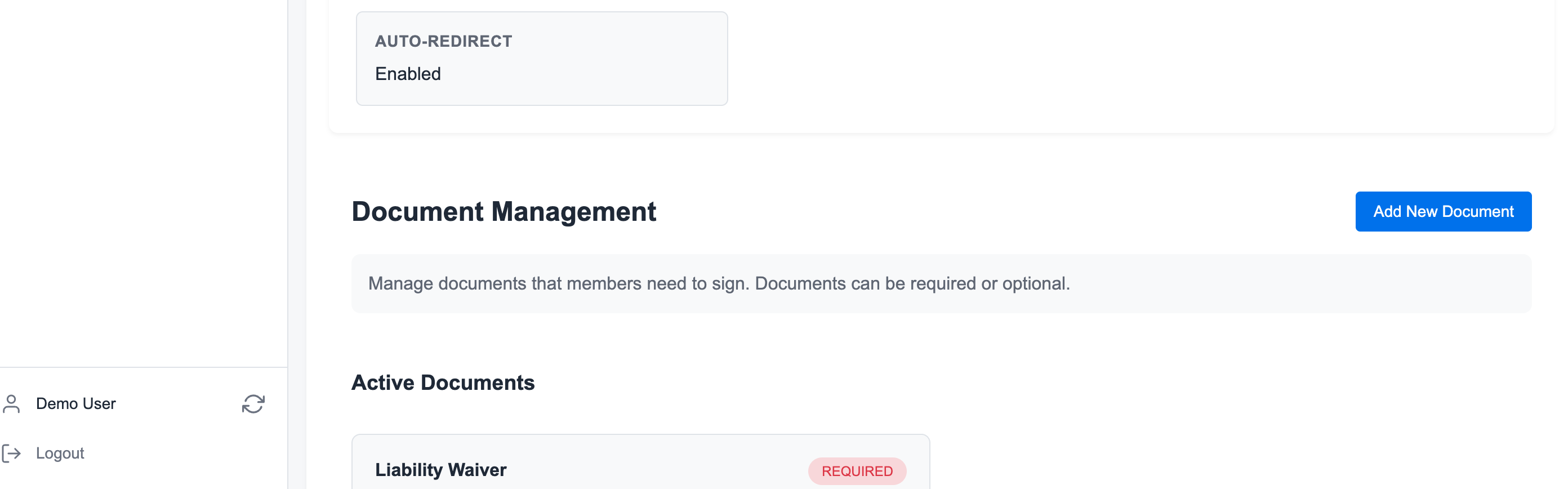
Go to Manage Gym -> Documents.
2. Click Add New Document
Click Add New Document.
3. Upload or Configure the Document
Add the document name, upload the file when required, and choose whether members must sign it.
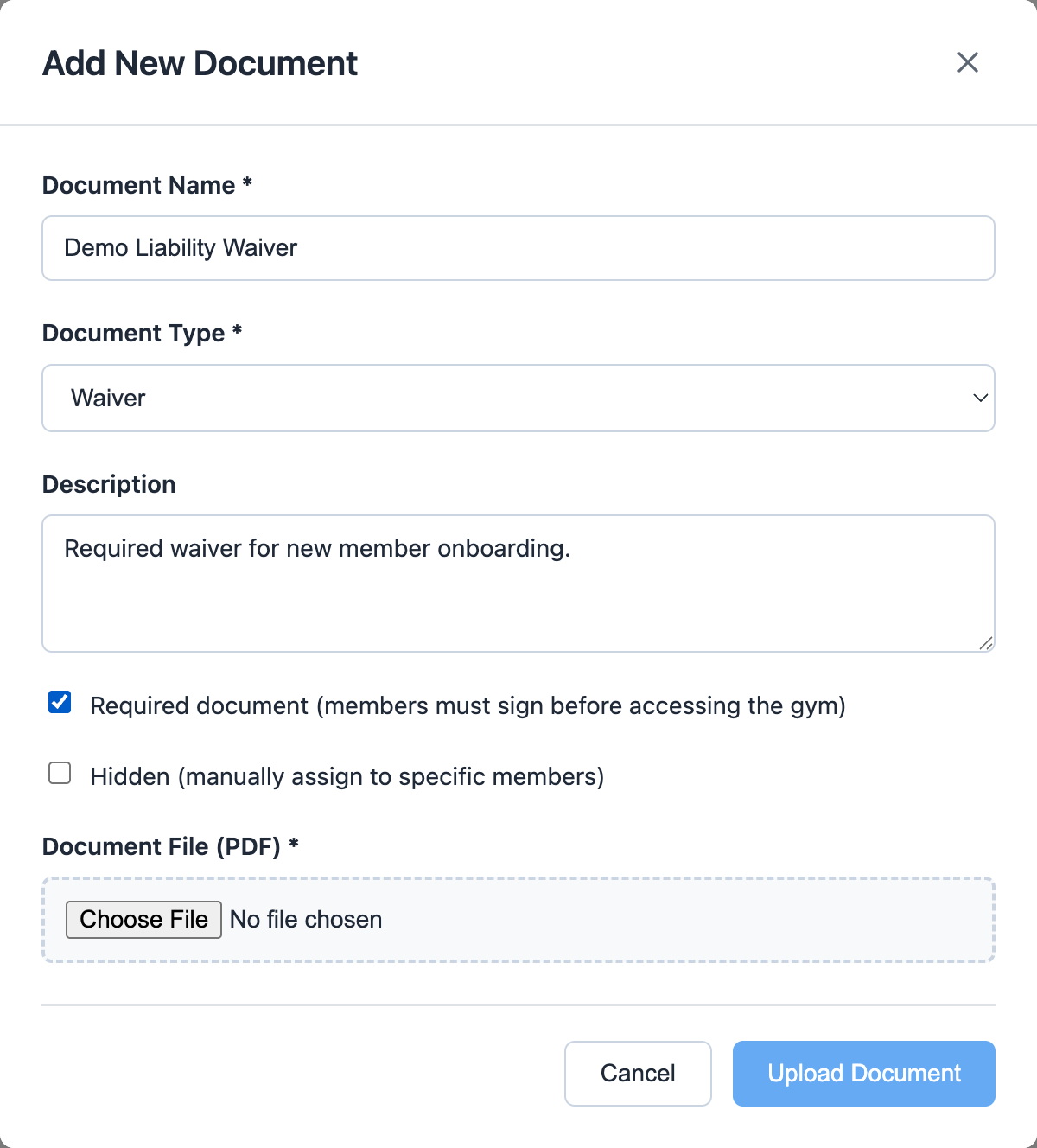
Mark a document required when members should complete it before booking or attending.
4. Review Member Compliance
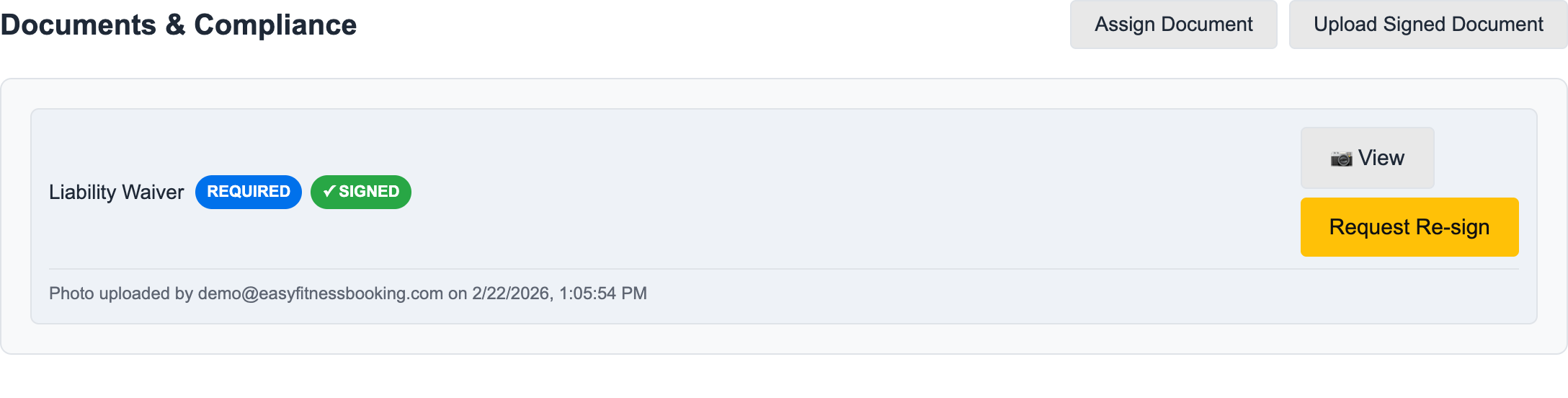
Open a member profile and scroll to Documents & Compliance to confirm the member has signed required forms.
5. Upload a Signed Copy When Needed
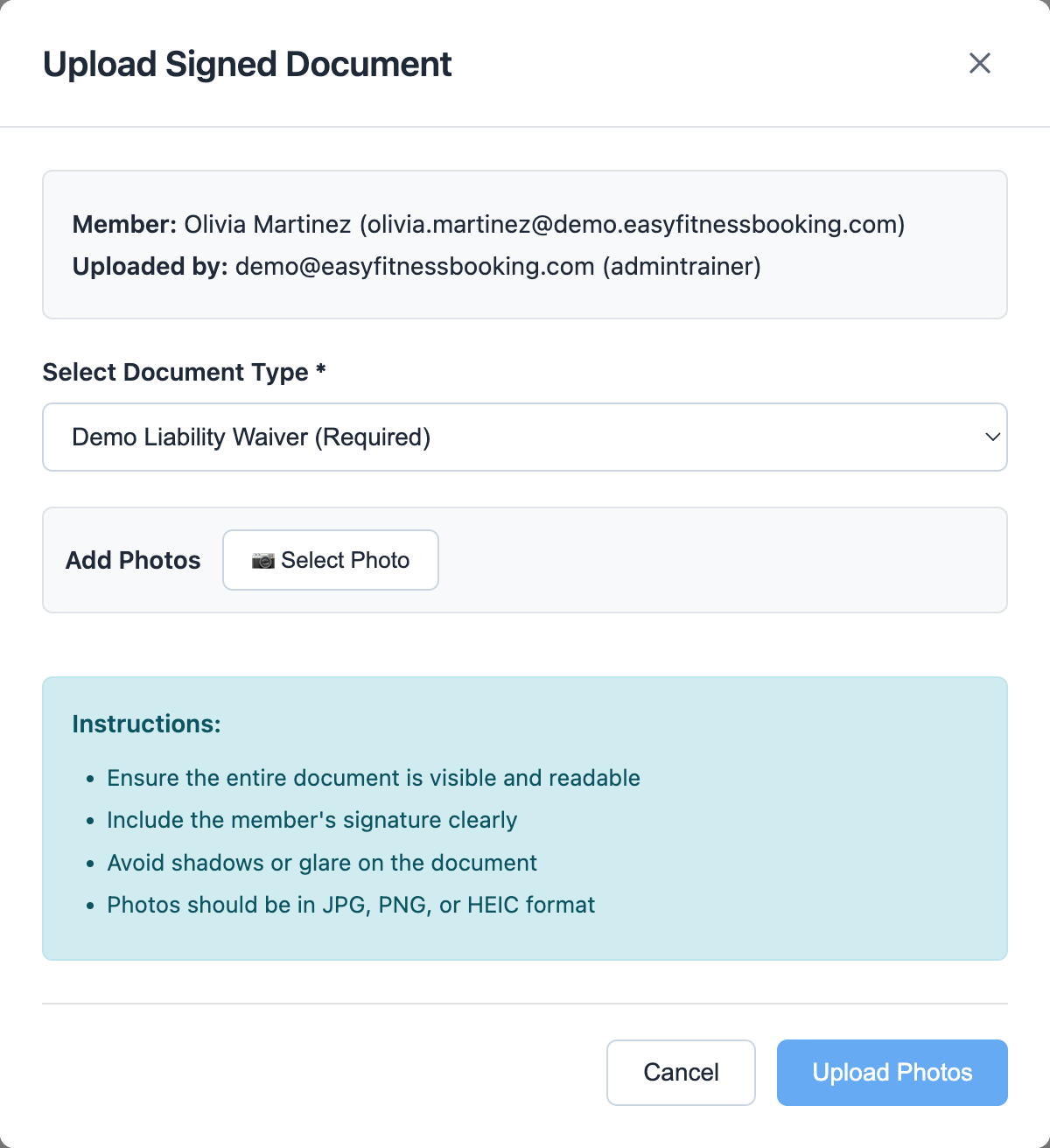
Use Upload Signed Document when staff already have a signed paper copy or photo from the member.
6. Request a Fresh Signature When Needed
Use Request Re-sign after policy updates, expired waivers, or document corrections.
Related guides:
Ready to streamline your gym?
Start managing bookings, personal training, and memberships in minutes.
Start Your Free Trial →No credit card required