Review Activity and Session Notes
Use the Activity tab when staff need to answer what happened in a member's account: booked sessions, completed sessions, cancellations, class attendance, and private trainer notes.
1. Open the Activity Tab
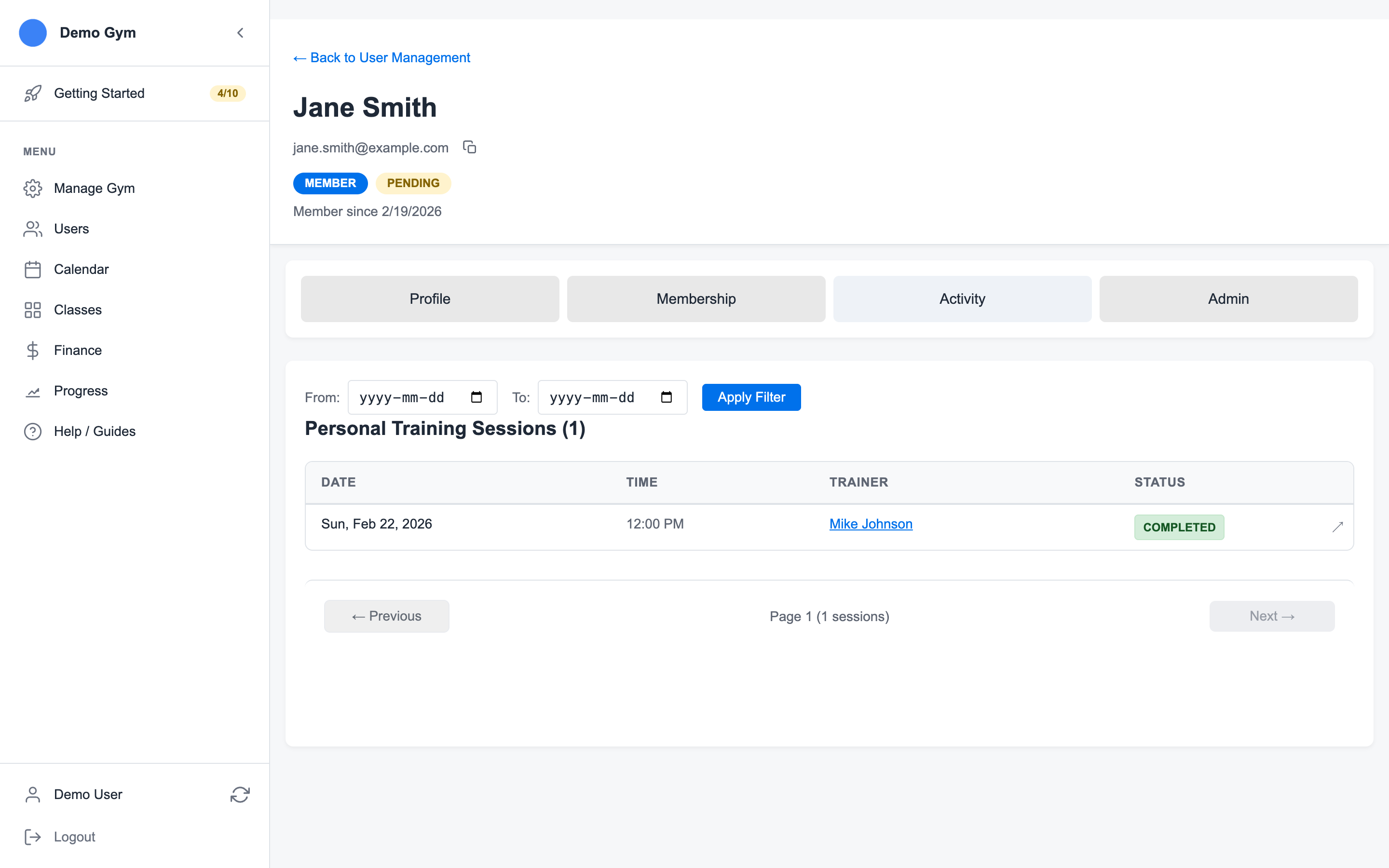
Open the member account, then select Activity.
2. Filter by Date When Needed
Use the From and To fields when the member asks about a specific billing period or week.
The activity list groups the member's personal training and class history so staff can trace what happened without switching between multiple calendars.
3. Open a Session
Click a personal training row to open session details.
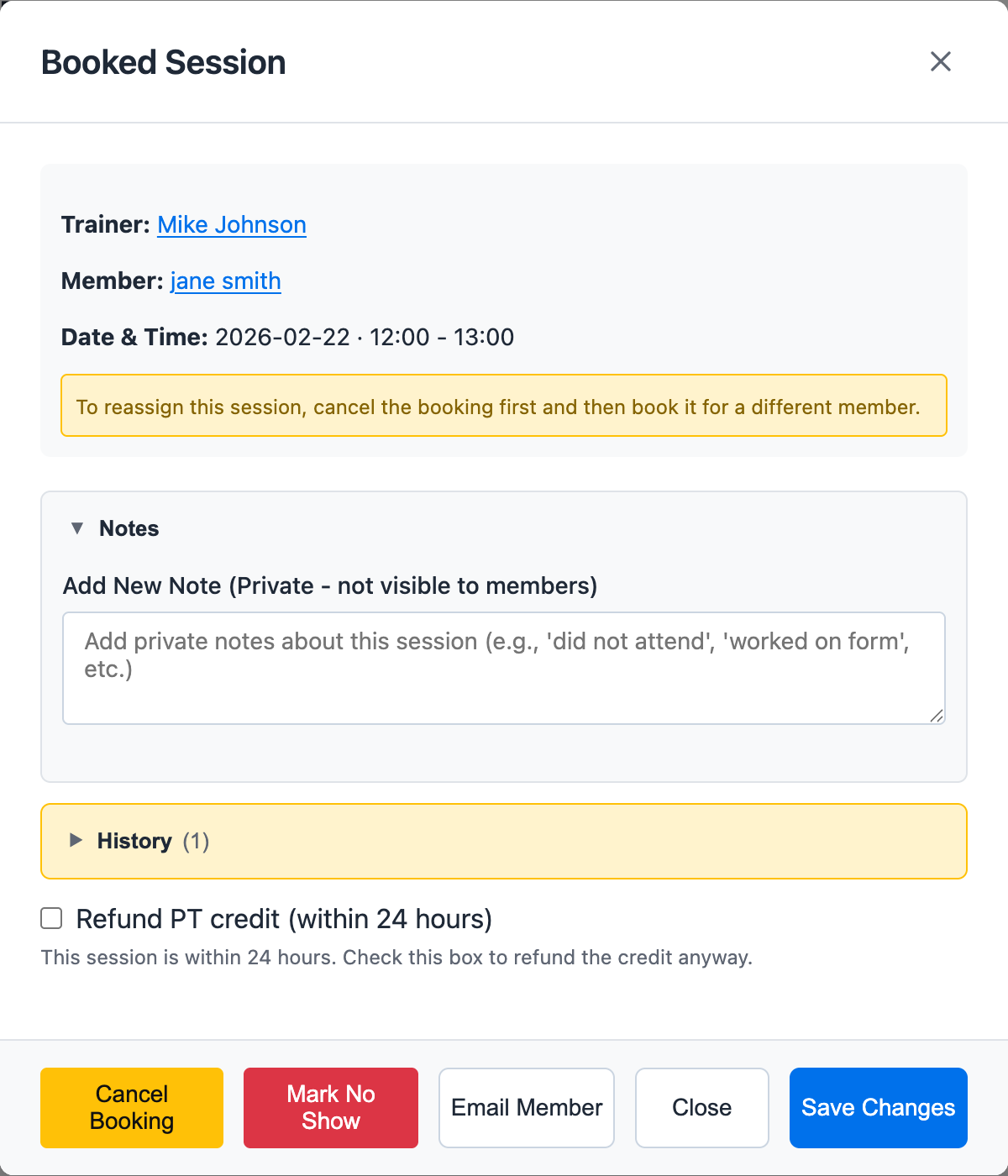
The detail view is where staff can review or add private notes about the session. These notes are for staff use and are not shown to members.
4. Check Notes and Session History
In the session details, review:
- Existing private notes
- Trainer and member
- Session status
- Cancellation details
- Session history and policy actions, when available
5. Add a Private Note
Use notes for operational details such as:
- What was trained
- Member attendance context
- Injury modifications
- Follow-up reminders
- Why a session was adjusted
Keep notes factual and useful for the next staff member who opens the account.
For invoice-linked credit review, see Review Member Invoices.
Ready to streamline your gym?
Start managing bookings, personal training, and memberships in minutes.
Start Your Free Trial →No credit card required