Assign Members to a Trainer Client List
Use a trainer Client List when staff want an easy way to remember which members usually work with a trainer. This is a convenience filter, not a hard booking block.
1. Add the Member During Creation
When creating a member, staff can choose an optional trainer.
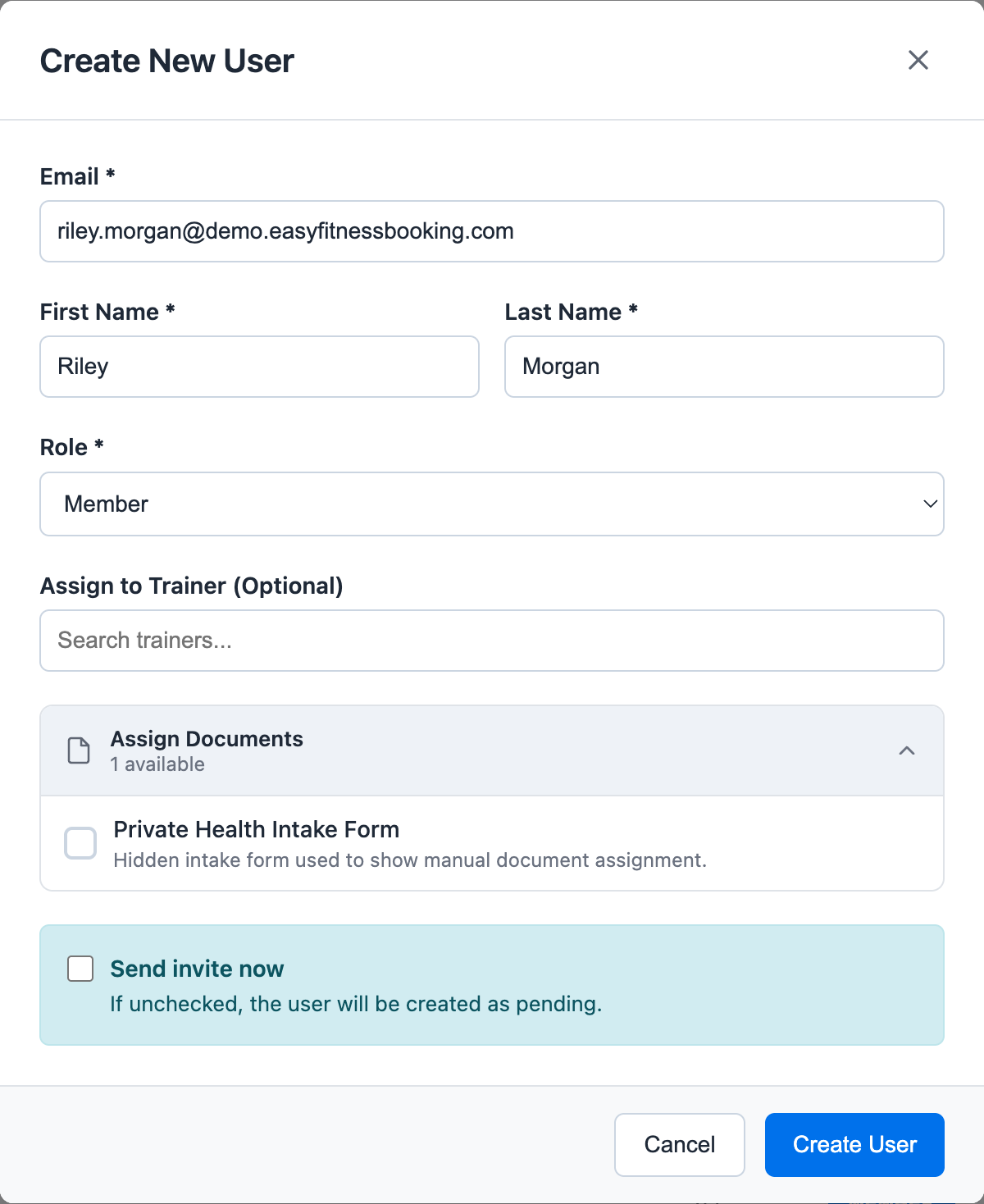
If a trainer is selected, the member is added to that trainer's client list. The member can still have memberships, credits, documents, and bookings managed normally.
2. Review the Trainer's Client List
Open the trainer schedule area and expand Client List.
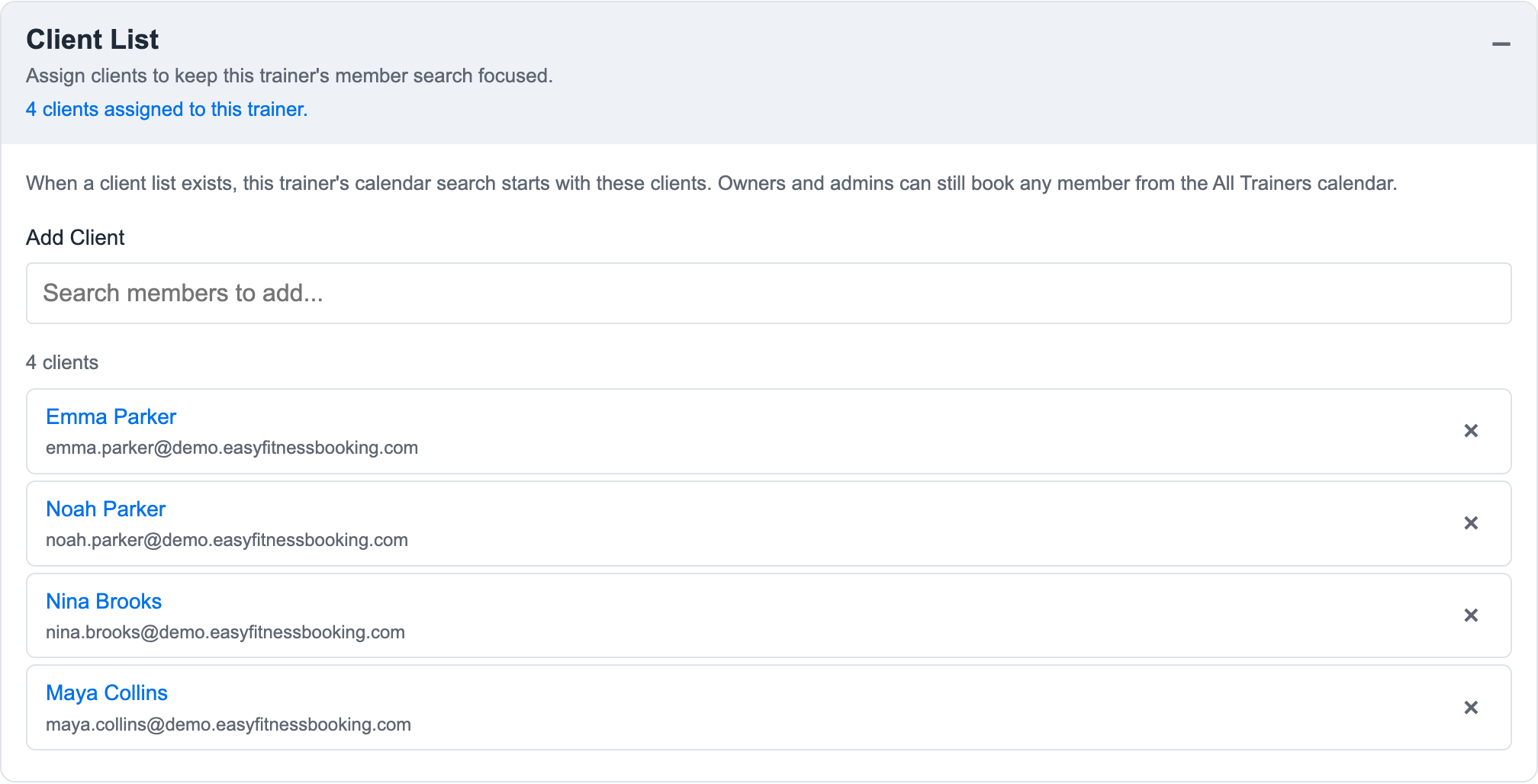
From this panel, staff can:
- See how many clients are assigned to the trainer
- Add a member with search
- Remove someone from the trainer's client list
- Open an assigned member profile
If the list is empty, the trainer calendar falls back to the full member search.
3. Understand What Changes in Booking
When staff view one trainer's calendar, the booking modal can use that trainer's client list. The member search becomes focused on that trainer's assigned clients, which makes day-to-day booking faster.
This does not mean other members are forbidden from training with that trainer. It only keeps the single-trainer search focused.
4. Use All Trainers for Admin Override
Owners and admins can still open the All Trainers calendar, choose the trainer, and book any member. This is the override path when a member is not on the trainer's client list but should still be booked.
Use this distinction when explaining the feature:
- Trainer client list: convenience and faster search.
- All Trainers calendar: admin override and full member search.
- Membership trainer restriction: actual eligibility rule for whether a credit can be used with a trainer.
5. Keep It Current
Update the client list when a member changes their primary trainer, starts a new PT relationship, or no longer works with that trainer.
Related guides:
Ready to streamline your gym?
Start managing bookings, personal training, and memberships in minutes.
Start Your Free Trial →No credit card required