Getting Started for Members
This guide helps members understand the self-service side of Easy Fitness Booking.
Creating Your Account
First-Time Setup
When you receive an invitation from your gym:
- Click the invitation link in your email
- Create your password
- Complete your profile information
- Sign any required documents
Your gym may require you to complete waivers or agreements before booking sessions.
Member Dashboard
After login, your dashboard shows upcoming bookings, membership status, and quick links for common actions.
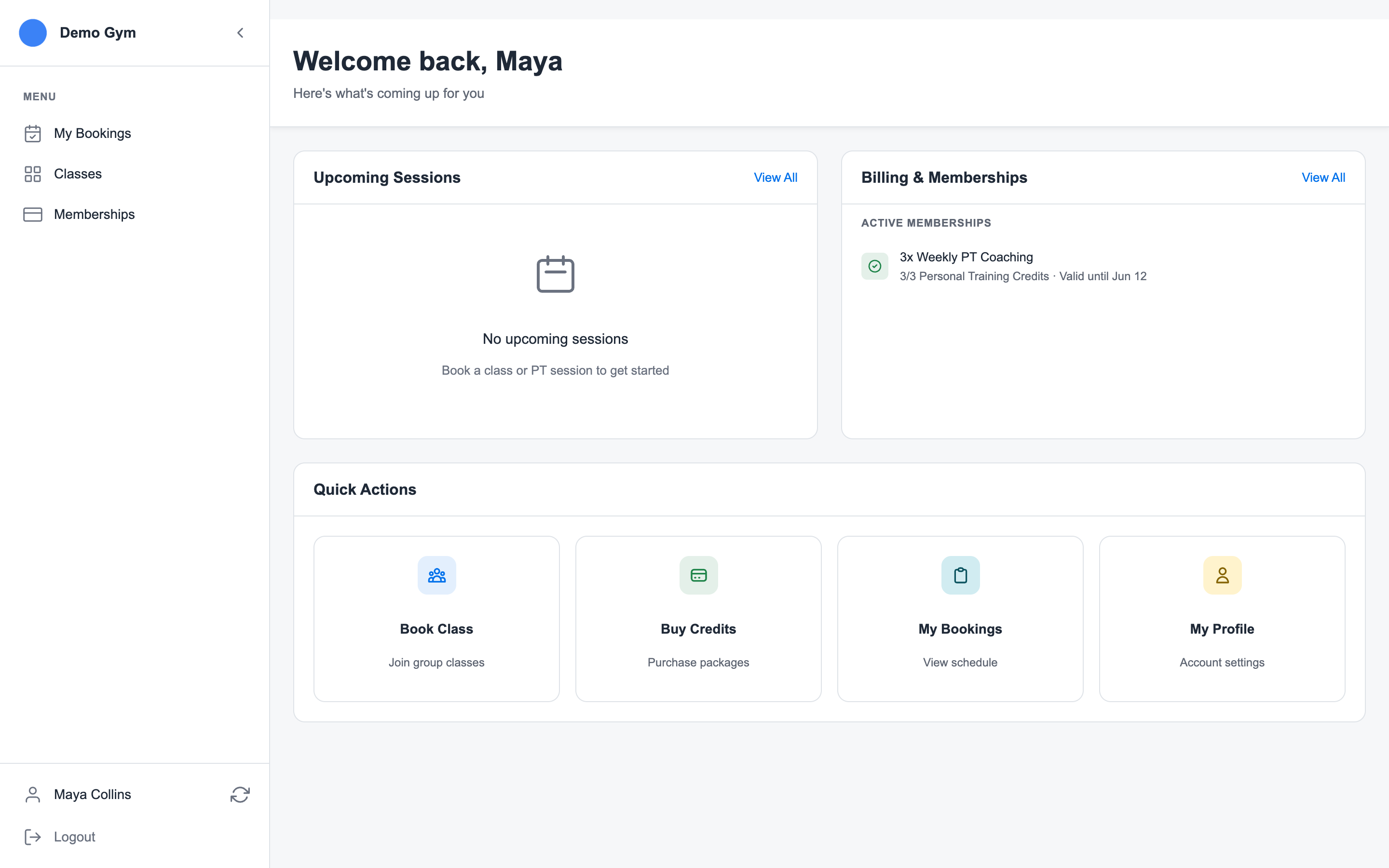
Use it to jump to:
- Book Classes when your gym offers public or member class booking
- Buy Memberships when your gym sells public packages online
- My Bookings for upcoming PT and class bookings
- Account for profile details, documents, and saved payment methods
Booking Personal Training
Personal training availability depends on the gym's setup. Some gyms allow members to book directly; others have staff or trainers book sessions for members.
When member booking is available:
- Open the booking calendar.
- Choose the trainer or available time.
- Confirm the session details.
Your gym's cancellation policy still applies. Late cancellations may consume the credit if the trainer had already reserved the time.
Booking Classes
Open Class Schedule to view upcoming classes. If a class has space, you can book it. If it is full and waitlist is enabled, you can join the waitlist.
Class bookings show in My Bookings with your personal training sessions.
Waitlists are automatic. If a spot opens, the system can promote the next person and send the appropriate email based on the gym's waitlist settings.
Your Membership
Open My Memberships to review current packages, buy public memberships, and manage payment methods.
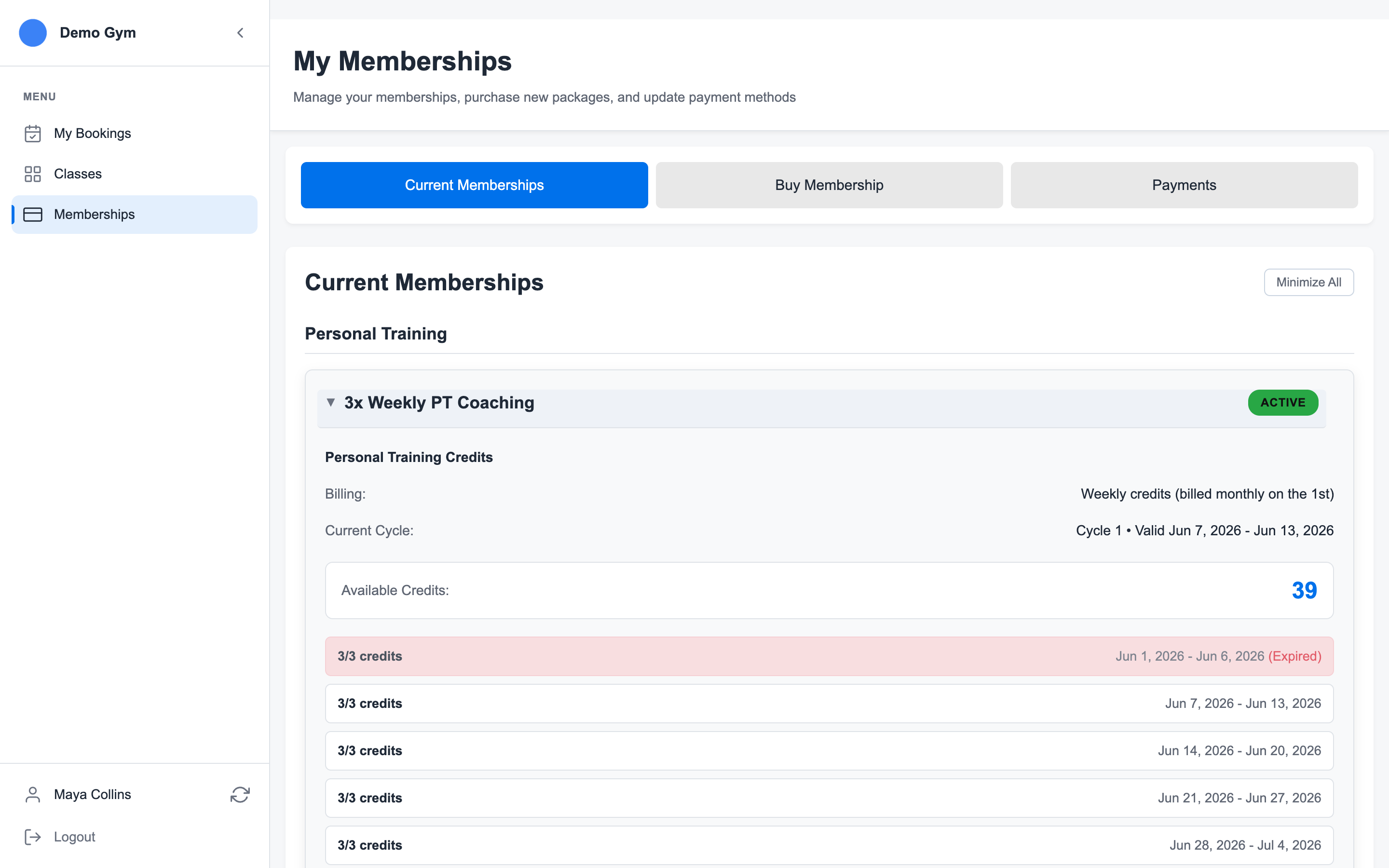
The member membership page has three sections:
- Current Memberships: active memberships, credits, billing, cancellation actions, and invoice history
- Buy Membership: public packages the gym has chosen to sell online
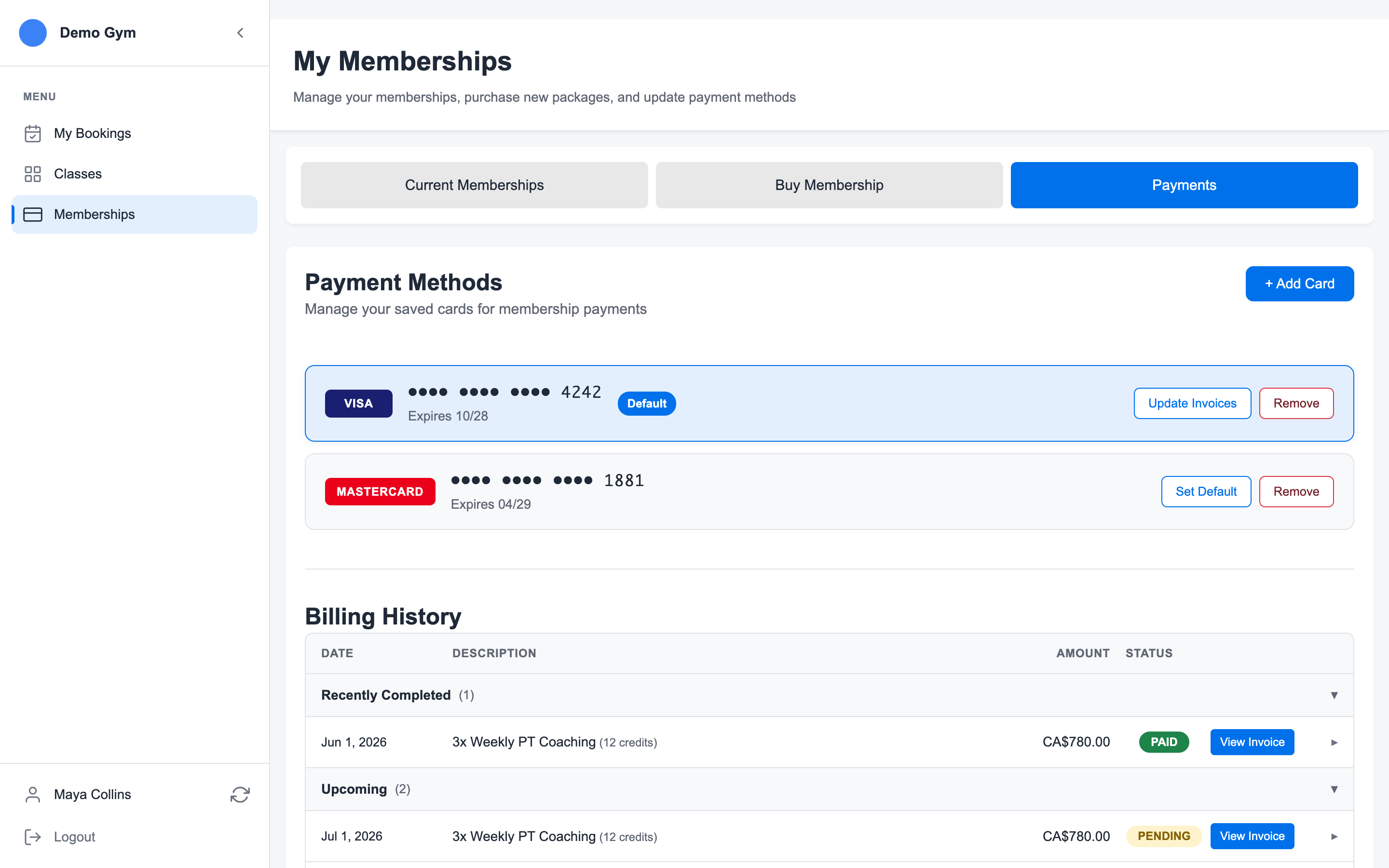
- Payments: saved cards and default payment method controls
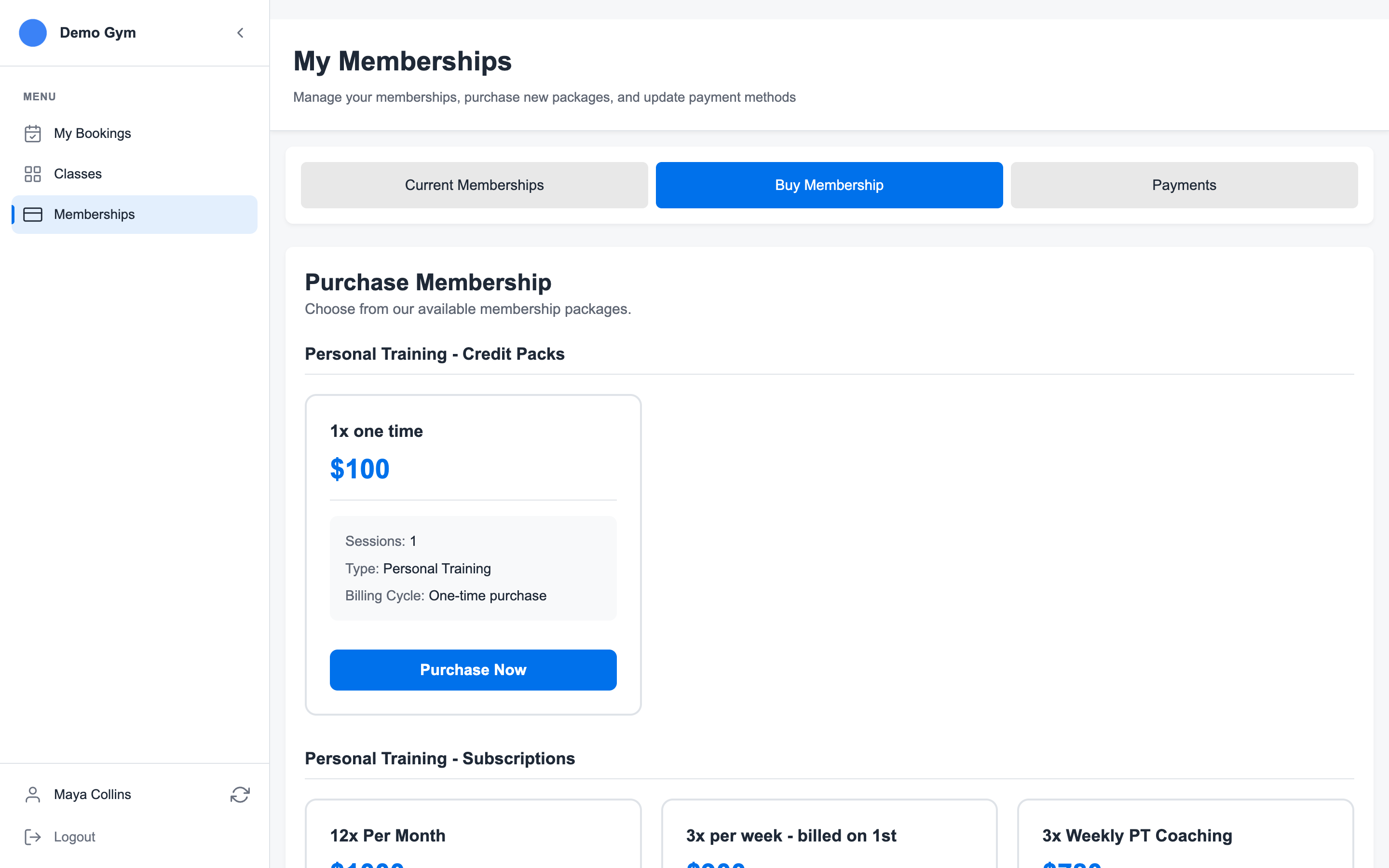
If your gym allows online purchases:
- Open My Memberships.
- Choose Buy Membership.
- Select the package.
- Pay with the gym's connected payment processor.
Members can also open Payments to review saved cards, set a default card, and see billing history.
My Bookings
Open My Bookings to review personal training sessions and class bookings by week.
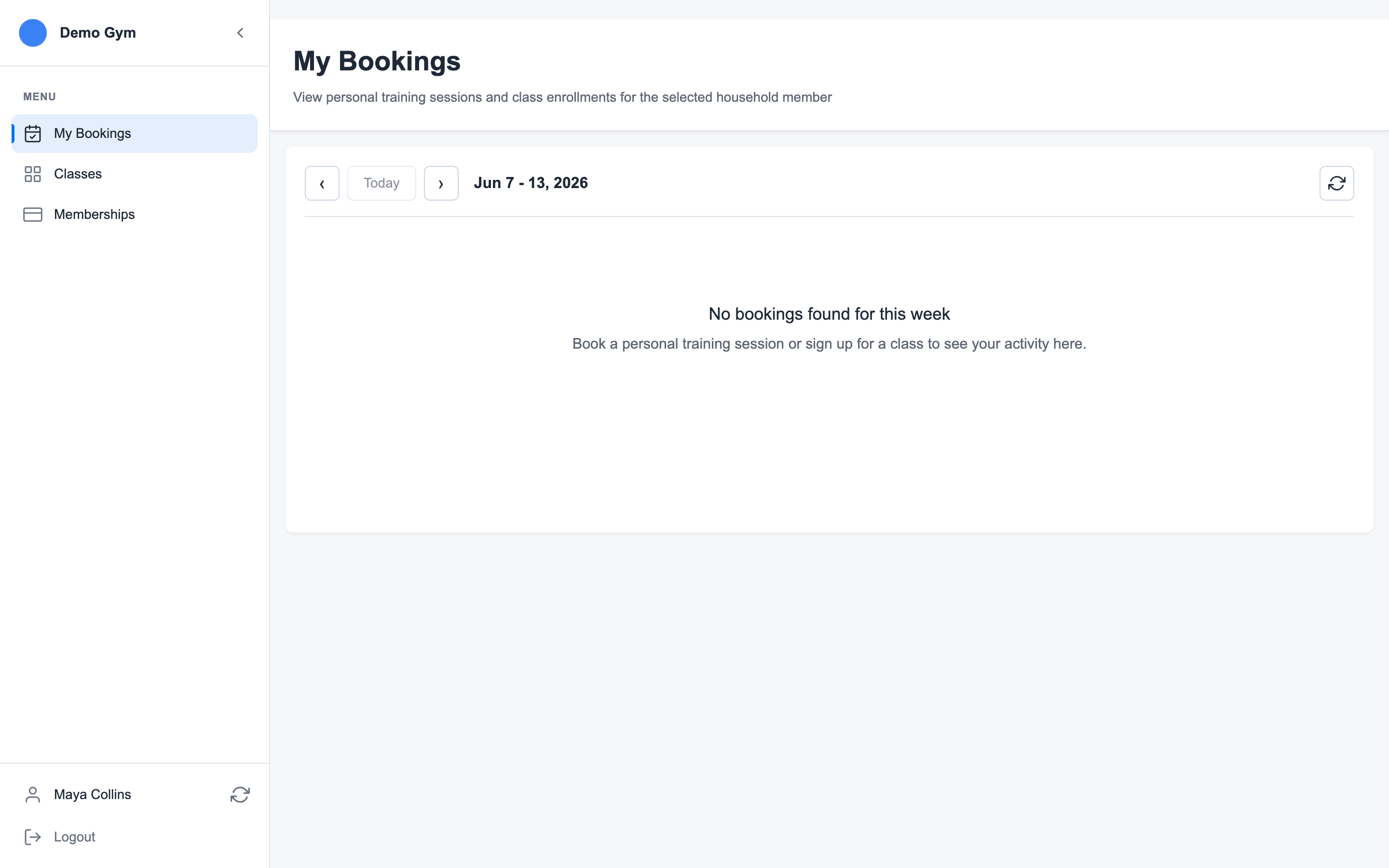
From there, you can:
- See confirmed bookings
- See waitlisted classes
- Review completed or cancelled sessions
- Cancel a class booking when policy allows
- Refresh your schedule after a booking change
Account and Documents
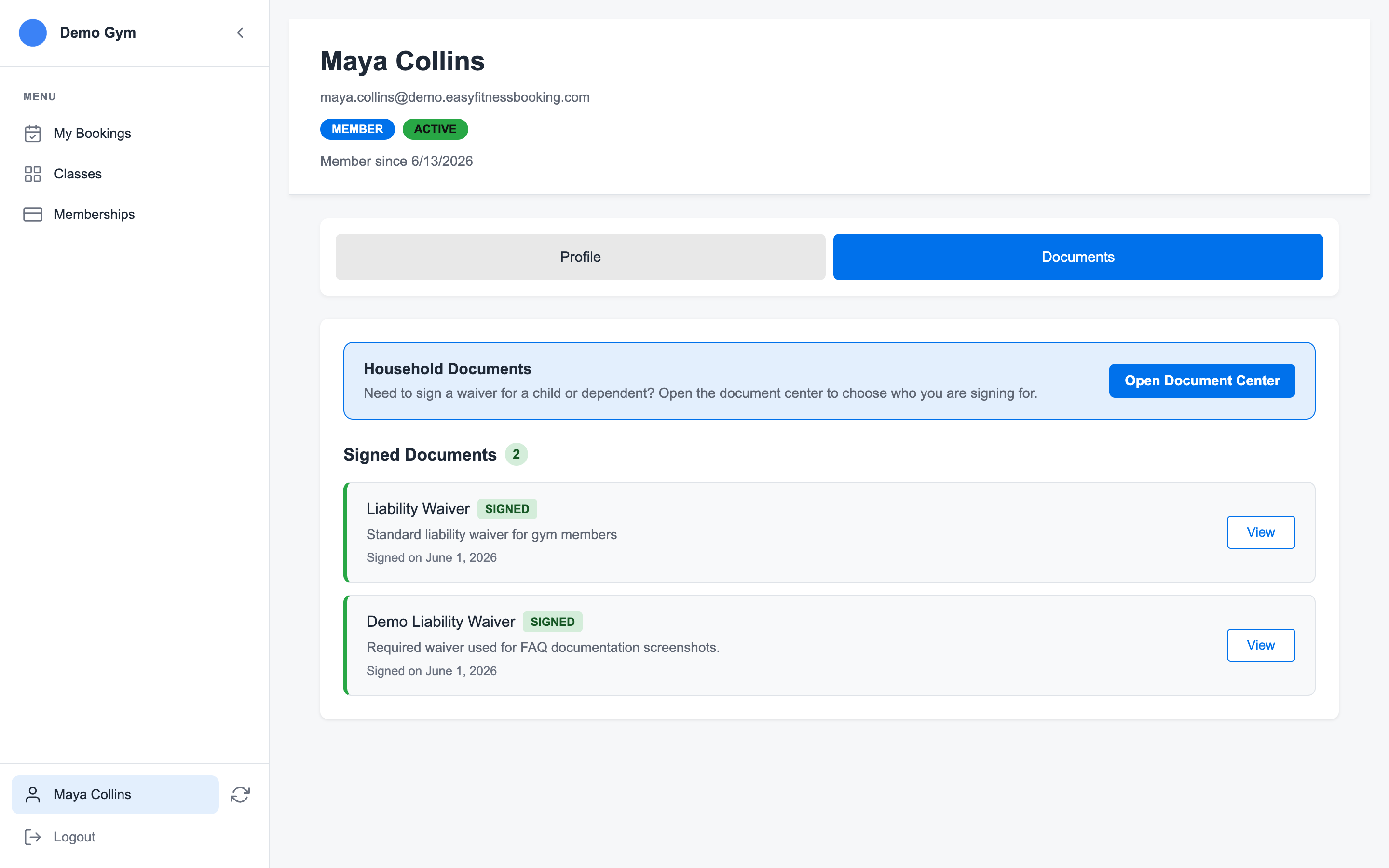
Open Account to keep personal details current, manage signed documents, and update saved payment methods.
If your gym uses required documents, you may need to sign them before booking. Signed documents stay attached to your account so staff can see compliance from the member profile.
Tips for Success
- Book in advance - Popular time slots fill up quickly
- Set reminders - Don't miss your sessions
- Communicate - Let your trainer know about any concerns
- Stay consistent - Regular sessions lead to better results
Need Help?
If you have questions about your membership or bookings, contact your gym directly or reach out to support.
Ready to streamline your gym?
Start managing bookings, personal training, and memberships in minutes.
Start Your Free Trial →No credit card required