Add a Membership to a Member
Use this workflow when a member buys a new package, starts a recurring plan, or needs a class membership added by staff.
1. Create The Membership Type First
Go to Manage Gym → Memberships and create the package before assigning it to a member.
Confirm:
- PT or class credit type
- One-time, recurring, or fixed-weekly billing
- Price and currency
- Credit amount and expiry rules
- Trainer or class restrictions, if needed
2. Open the Member Account
Go to Users, open the member, then select Membership.
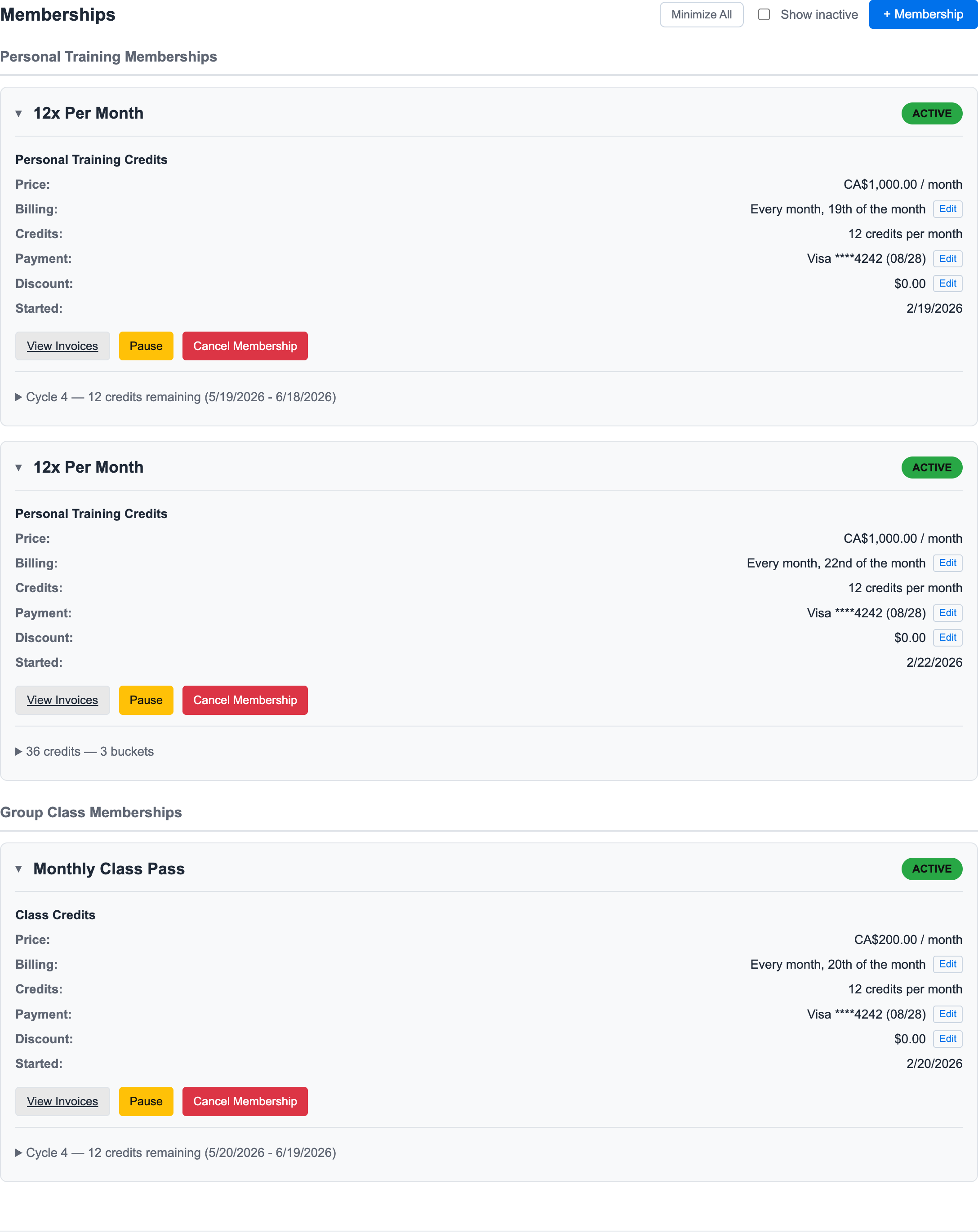
3. Click + Membership
Click + Membership in the membership tab.
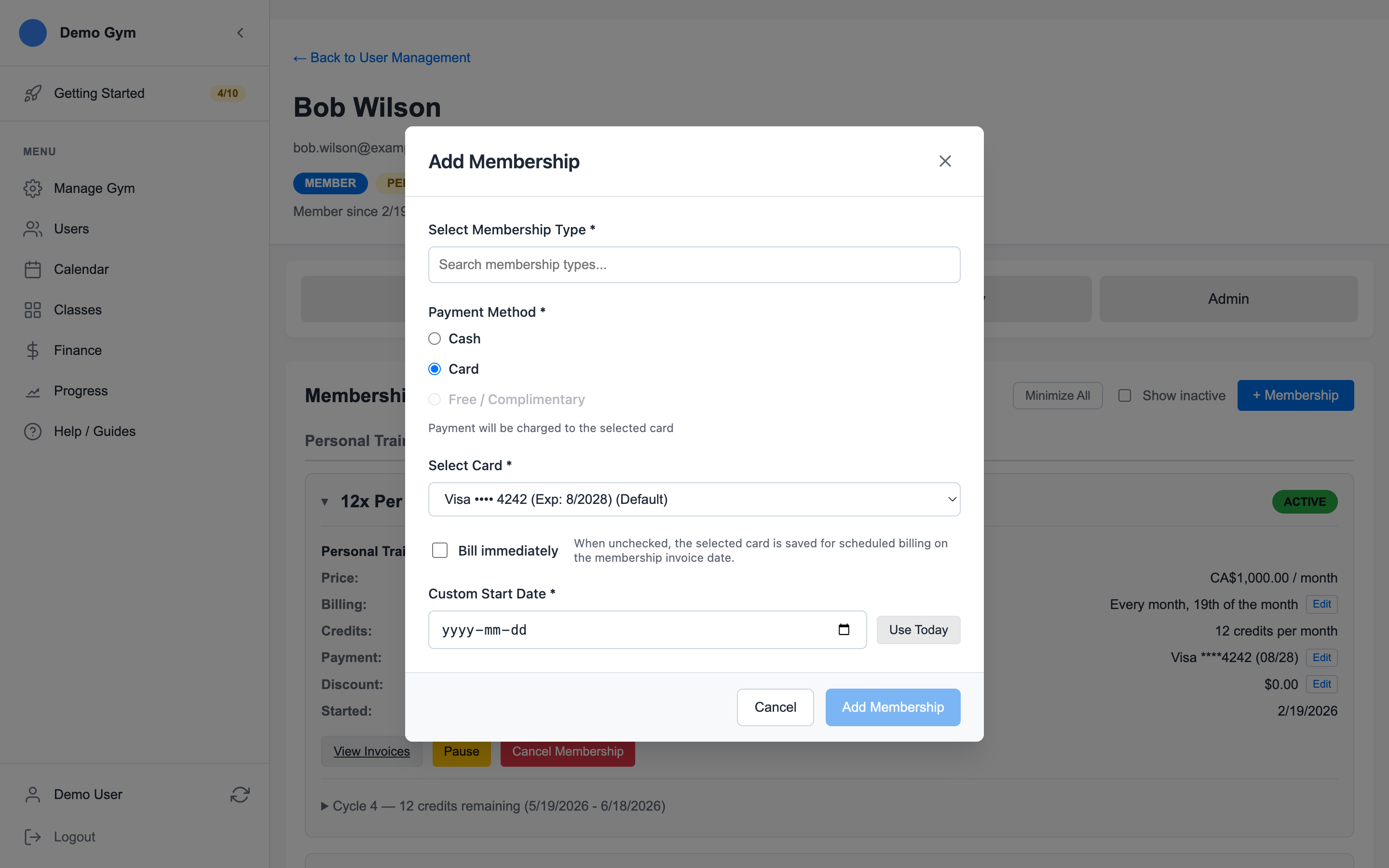
4. Choose the Membership Type
Search for the membership type. Confirm that the package matches the member's purchase before continuing.
Check:
- Personal training or class credit type
- Recurring billing cadence
- Credit amount
- Price
5. Choose Payment and Start Date
Select Cash, Card, or Free / Complimentary when available.
If the membership should start today, use Use Today. If it starts later, enter the custom start date.
For card memberships, Bill immediately controls whether the first invoice starts payment right away. If it is left unchecked, the invoice is scheduled for the membership invoice date instead. For the exact timing rules, see Understand When Card Invoices Are Billed.
6. Save and Review
Click Add Membership, then confirm the new membership appears in the member account.
After saving, review the membership card for:
- Active status
- Billing date
- Payment method
- Current credit cycle
- View Invoices link
7. Adjust Billing Controls Later
Active recurring memberships can be adjusted from the membership card without rebuilding the membership.
Use Edit beside Payment, Discount, or Billing when an active membership needs a later change. Pending invoices may need to be updated at the same time so the membership card and the next invoice tell the same story.
For the detailed follow-up workflows, see:
Ready to streamline your gym?
Start managing bookings, personal training, and memberships in minutes.
Start Your Free Trial →No credit card required