Membership Management
Manage personal training packages, class memberships, billing, pauses, payment methods, and credit cycles from the member account.
Overview
The membership system allows gym owners to:
- Create personal training and class packages with defined credit rules
- Bill one time, on a recurring interval, on a fixed monthly date, or with weekly credit buckets
- Process card payments or record cash/manual payments
- Pause, resume, cancel, discount, and update payment details without losing the audit trail
- Track exactly which credits came from which billing cycle
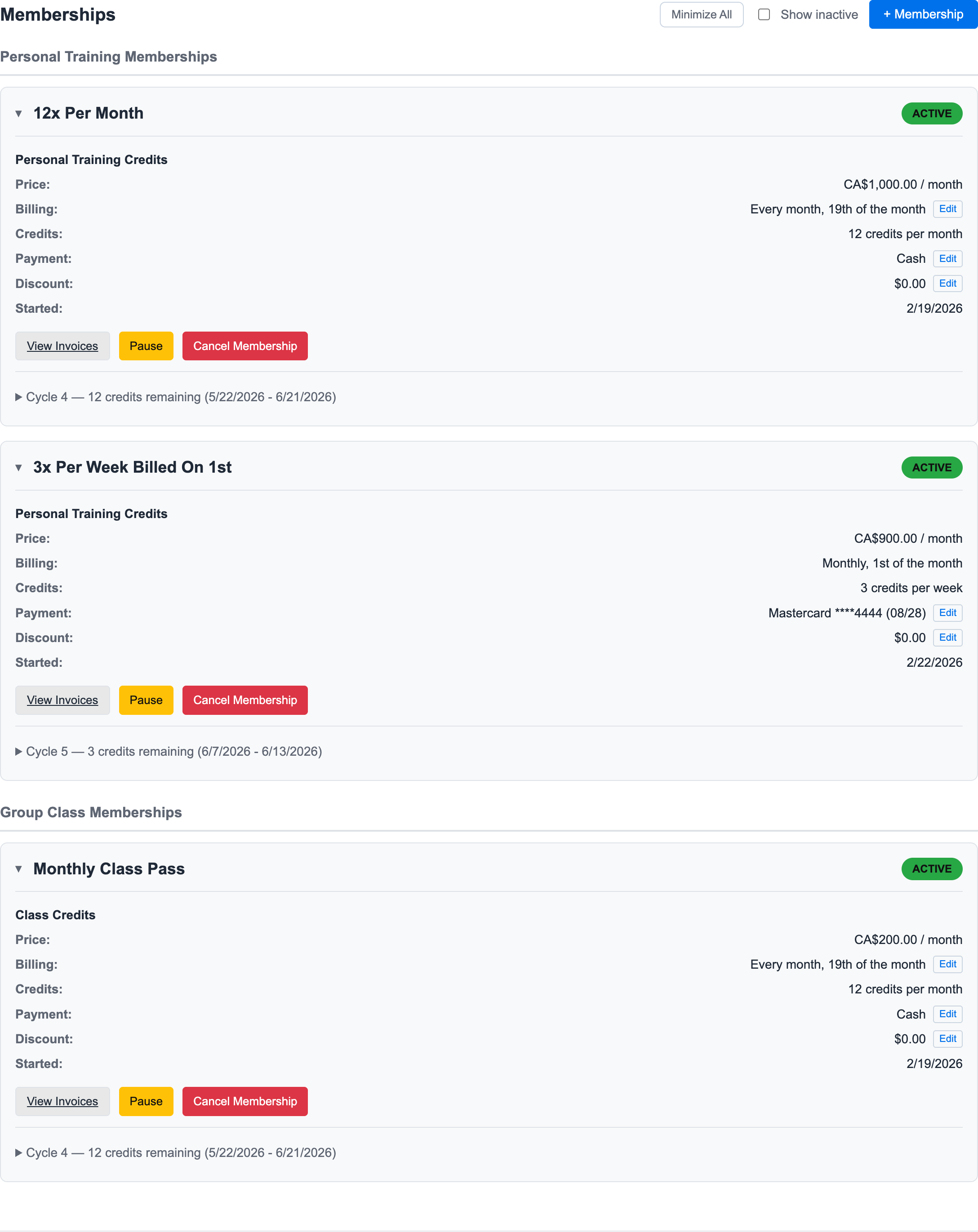
This is the staff view that matters day to day. You can see the active membership, what the member pays, when they bill, how many credits they receive, how they pay, and what actions are available.
How-To Workflows
For screenshot-based staff instructions:
- Pause a Membership
- Resume a Paused Membership
- Check Pause and Resume Billing
- Add a Membership to a Member
- Update a Member Payment Method
- Manage Household Membership Sharing
Creating Membership Types
Package Configuration
When creating a new membership type:
| Field | Description |
|---|---|
| Name | Display name for the package (e.g., "10 Session Pack") |
| Description | Details about what's included |
| Sessions | Number of PT sessions included |
| Price | Cost of the package |
| Validity | How long sessions remain valid |
Pricing Options
You can configure:
- One-time payment packages
- Session packs (buy in bulk, use over time)
- Custom pricing per package
Managing Member Memberships
Viewing Membership Status
For each member, you can see:
- Current active package
- Sessions remaining
- Expiration date
- Purchase history
- Billing cadence and next cycle details
- Payment method, discount, pause, invoice, sharing, and cancellation actions
Adjusting Active Memberships
Active recurring memberships can be adjusted from the membership card:
- Payment changes can switch a membership to cash, complimentary, or a saved card.
- Discount changes can apply a membership-level discount and optionally update pending invoices.
- Billing changes are available for eligible signup-date or anniversary-style recurring memberships.
- Household changes control whether credits are only for the owner or shareable across a family membership or household.
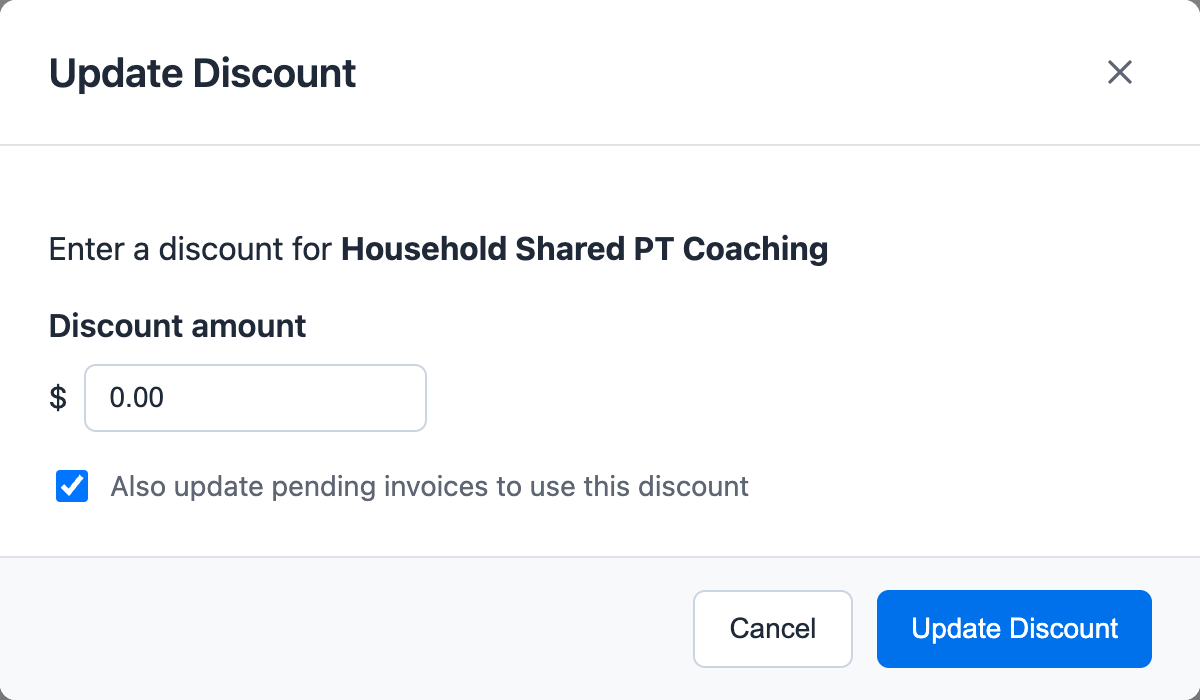
Membership edits should be checked against billing history after saving. Pending invoices may need to be updated at the same time so the membership card and the next invoice tell the same story.
For payment-method edits, see Update a Member Payment Method. For billing-date behavior, see Predictable Billing Dates.
Payment Processing
Card Payment Integration
Easy Fitness Booking integrates with Stripe, Clover, and Square for secure payments:
- Members can purchase packages online
- Payments are processed securely
- Receipts are sent automatically
Manual Transactions
For cash or other payment methods:
- Navigate to the member's profile
- Open Membership
- Add the package or edit the active membership
- Record the payment type
Session Tracking
How Sessions Are Used
When a trainer marks a session as complete:
- Session is deducted from member's balance
- History is updated
- Low balance notifications sent (if configured)
Session History
View complete session history including:
- Date and time
- Trainer who conducted the session
- Session notes (if recorded)
Best Practices
- Set clear expiration policies - Communicate when sessions expire
- Monitor low balances - Reach out before members run out
- Keep pricing simple - Easy-to-understand packages convert better
Troubleshooting
Common Issues
Member can't see their credits
- Check that the membership is active
- Verify the credit bucket has not expired
- Confirm the session or class uses the same credit type
Payment failed
- Confirm the gym's payment processor is configured
- Check the member's payment method
- Open the invoice activity notes to see the latest payment status
For more help, contact support.
Ready to streamline your gym?
Start managing bookings, personal training, and memberships in minutes.
Start Your Free Trial →No credit card required