Manage Family and Household Membership Sharing
Many gyms call this a family membership. In Easy Fitness Booking, the feature is managed through Households because it also covers couples, parents, dependents, guardians, and any account where one person may manage billing while another person uses the credits.
Use household membership sharing when a family needs one clear billing relationship while still tracking the real person who books, attends, and consumes each credit.
Use household sharing when staff need the app to answer three questions clearly:
- Who is the billing owner?
- Who owns the membership?
- Who is allowed to book with the membership credits?
1. Link the Household
Open the billing owner's member profile, then go to Admin -> Household.
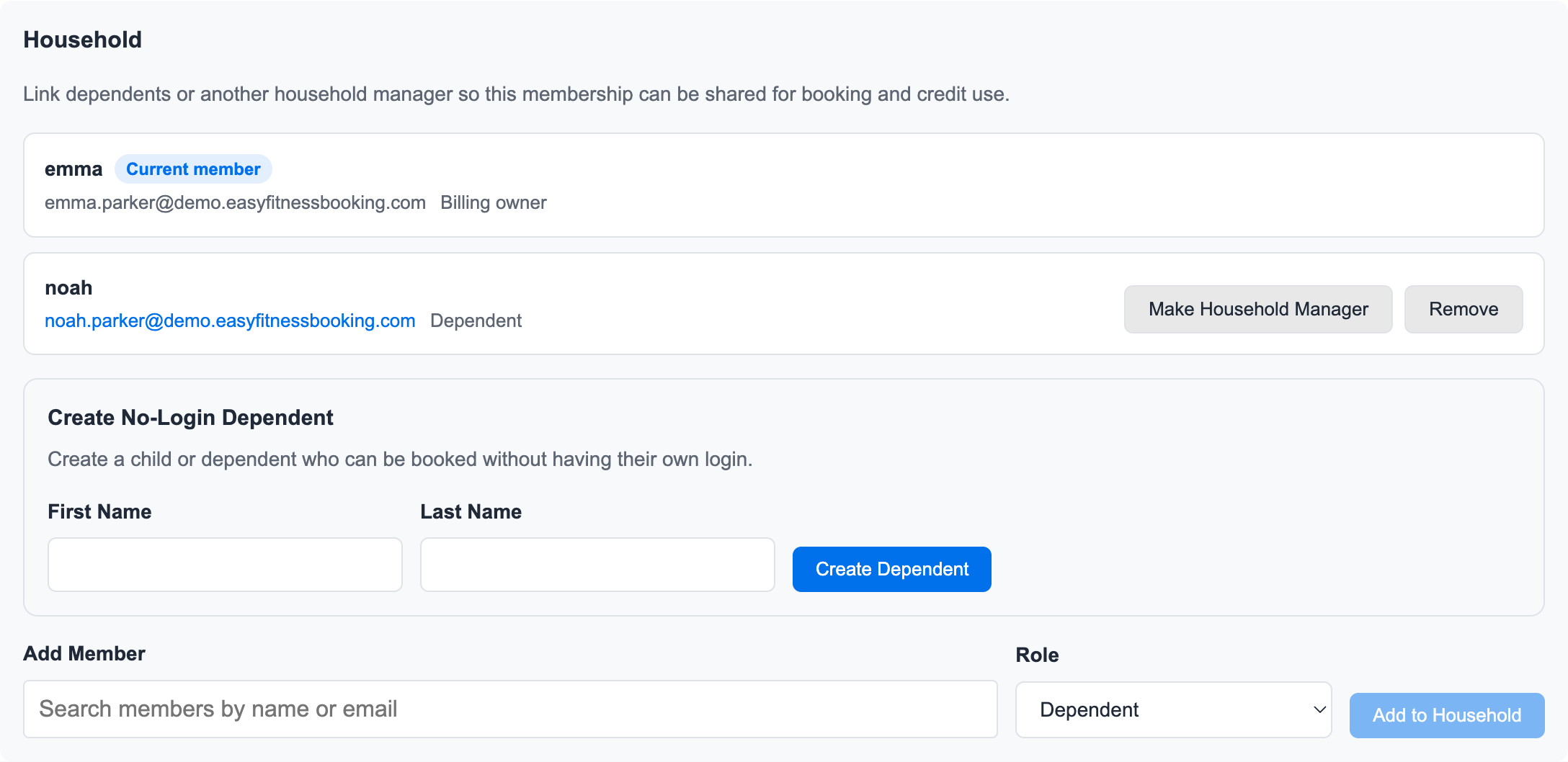
From here staff can:
- Create a household from the billing owner record
- Add an existing member to the household
- Create a no-login dependent
- Mark a member as a dependent or household manager
- Remove non-billing-owner household members
The billing owner cannot be removed from the household in the current version. That protects the payer and audit history.
2. Add or Review the Membership
Open the billing owner's Membership tab and review the membership card.
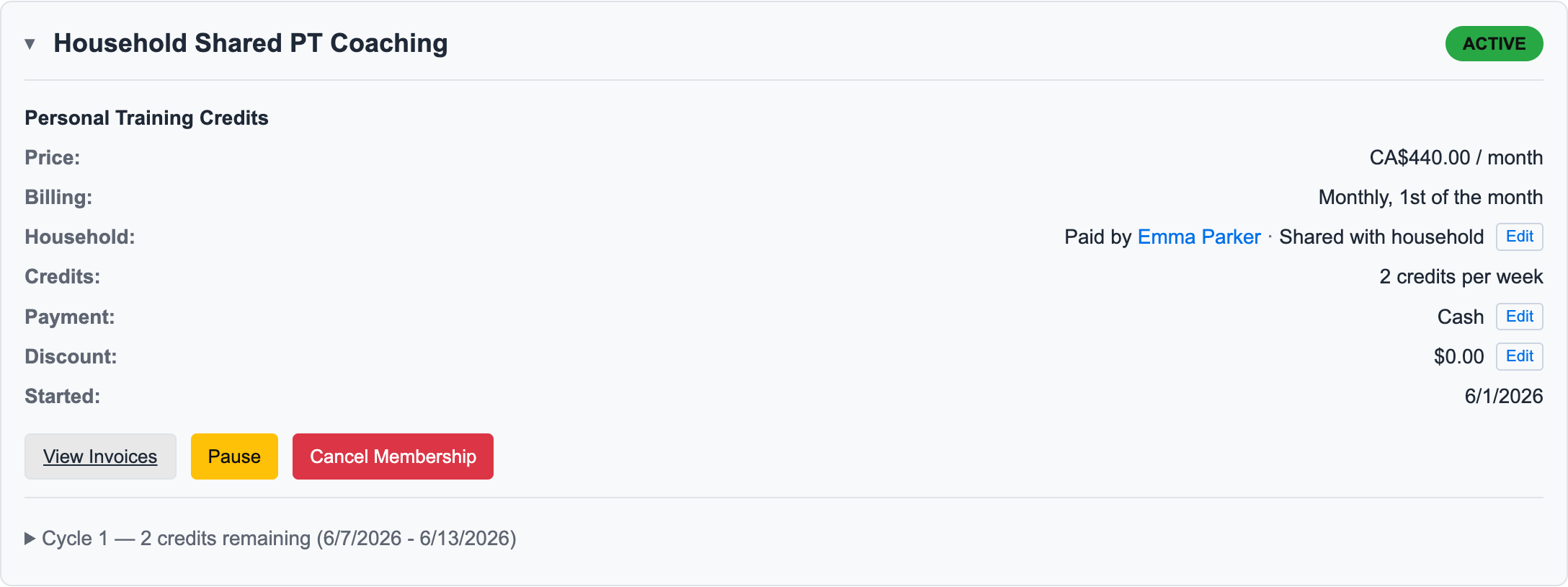
This is the family membership view staff use day to day. It shows who pays, who owns the membership, and which family or household members can use the credits.
The membership card shows household details such as:
- Paid by
- Owned by
- For
- Shared with household
- Owner only
- Selected household members
This keeps staff from guessing whether a child is using their own credits, a parent's credits, or a shared household membership.
3. Choose Who Can Use the Credits
Click the household Edit action on the membership card.
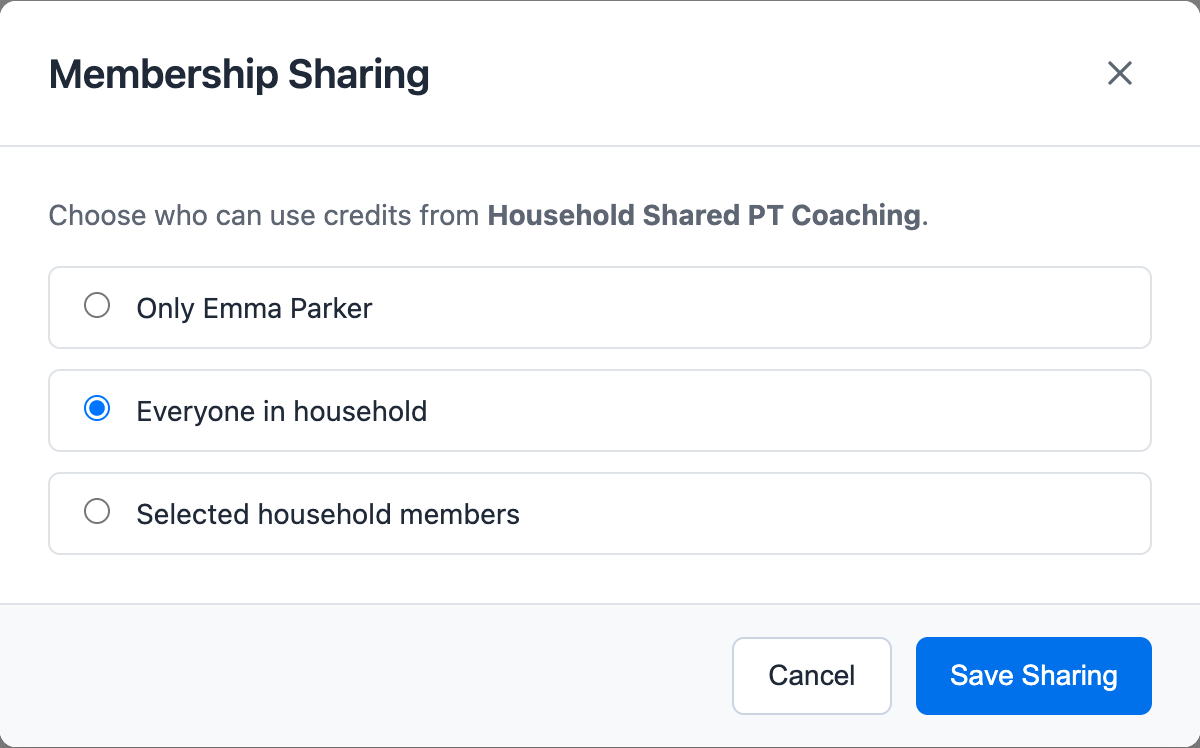
Choose one sharing mode:
- Only the membership owner: Credits stay with one person.
- Everyone in household: Any eligible household member can use the credits.
- Selected household members: Staff choose exactly who can use the credits.
Selected sharing is useful when a parent pays for multiple children but one membership should only apply to one child.
4. Understand Household Payers
For card payments, the app can charge a card from another account in the same household when that payer is allowed to manage billing.
The rule is strict:
- The payer and membership owner must be in the same household.
- The payer must be authorized to manage billing for that household member.
- The selected card belongs to the selected payer account.
- The invoice keeps the payer relationship so billing history remains explainable.
Cash and complimentary family memberships do not need a household card payer, but the membership can still be shared for booking and credit use.
5. What Members See
When a household manager has access to shared family class credits, the member class schedule can show a Booking for selector. The manager chooses which household member should consume the class credit before enrolling or joining a waitlist.
This is especially useful for no-login dependents. A parent can book for a child without the child needing their own account, password, or member portal login.
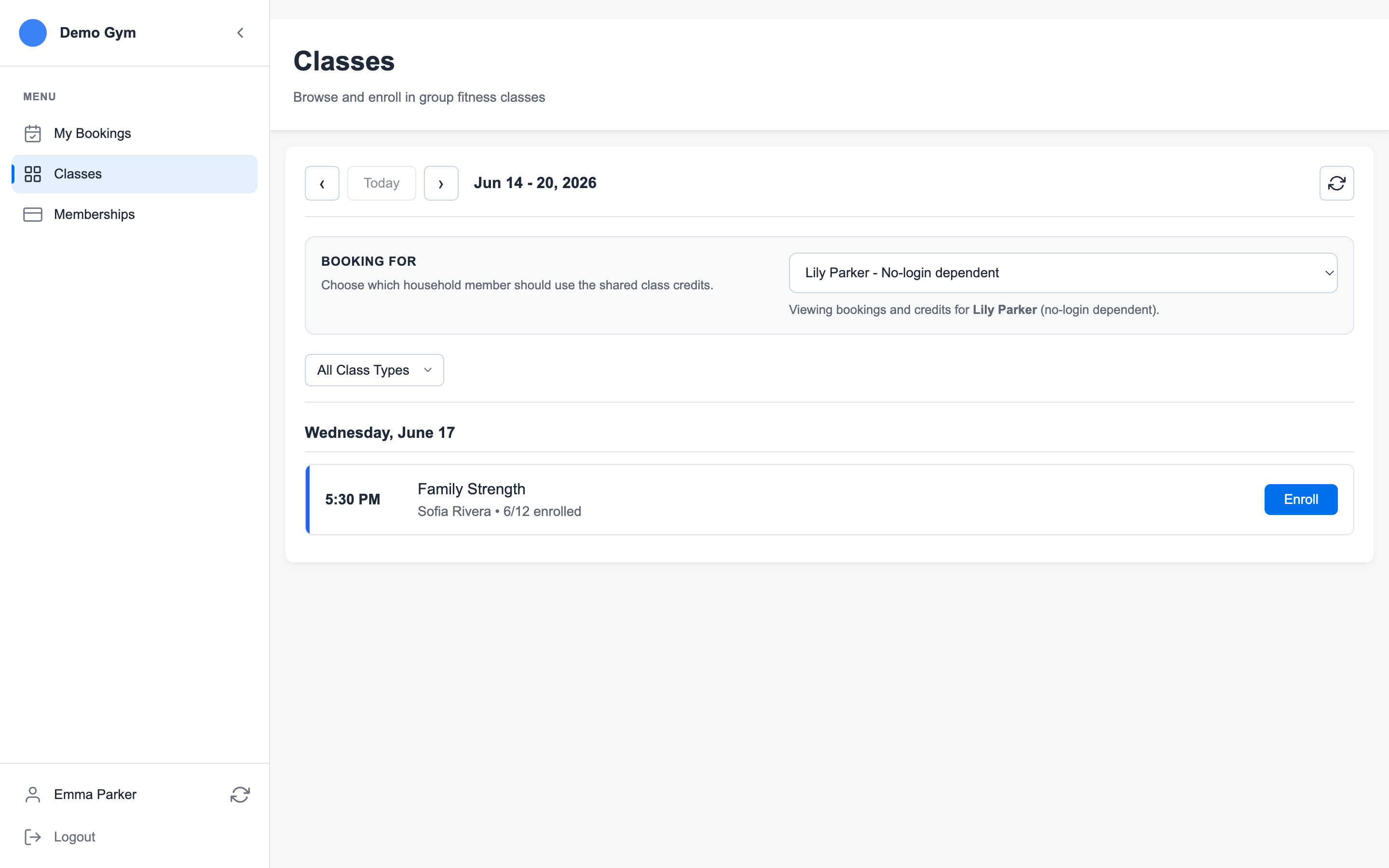
After the household manager selects the dependent, the class credit check and enrollment action apply to that dependent. The confirmation modal repeats the selected person so the manager can verify the class is being booked for the right household member before confirming.
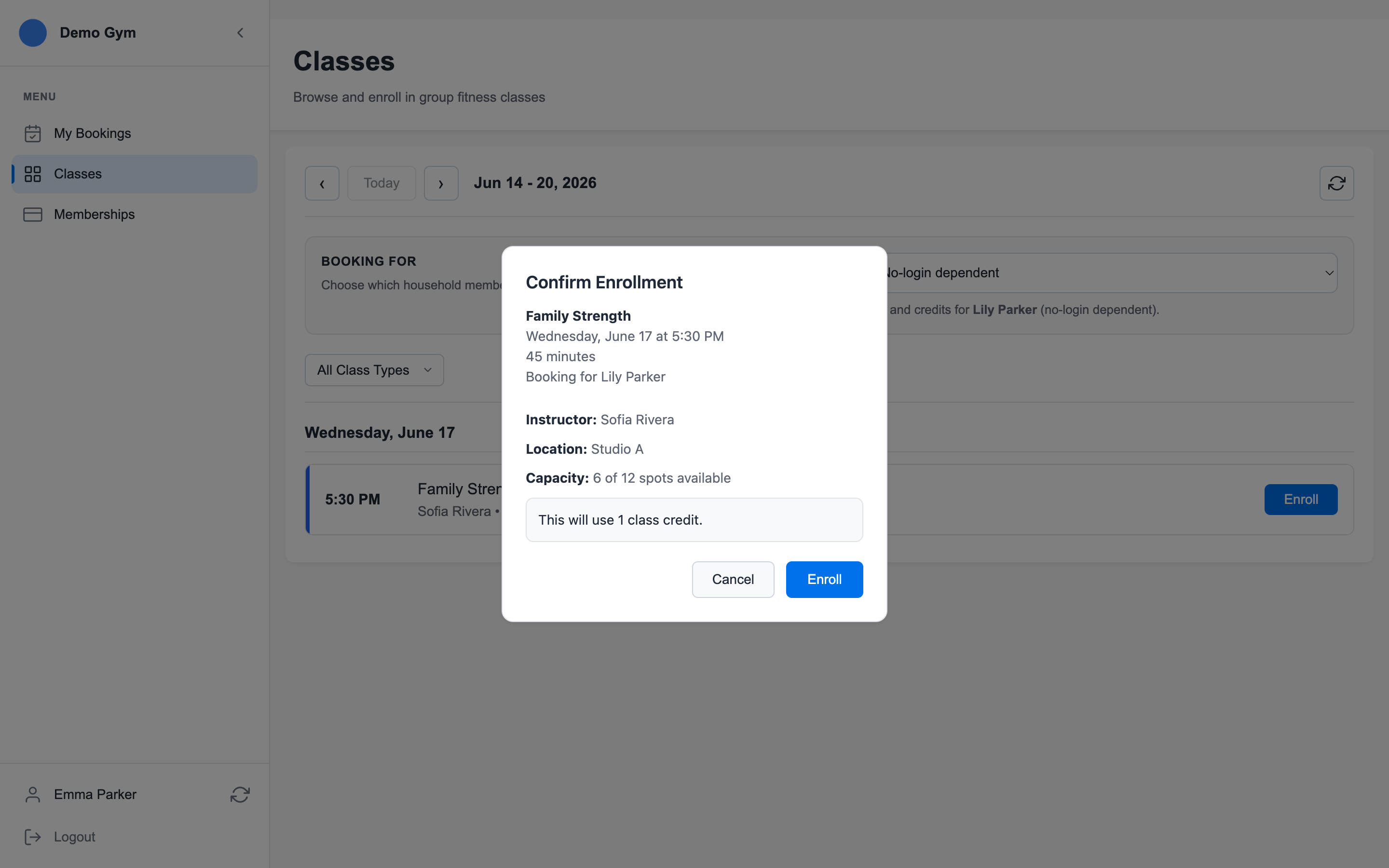
That matters because the credit audit trail should show the real participant, not just the payer.
Related Topics
Ready to streamline your gym?
Start managing bookings, personal training, and memberships in minutes.
Start Your Free Trial →No credit card required