User Management
Easy Fitness Booking handles users, roles, and permissions for your gym.
User Roles
Role Overview
| Role | Description | Typical Use |
|---|---|---|
| Owner | Full system access | Gym owners |
| Admin | Management access | Gym managers |
| Trainer | Schedule and client access | Personal trainers |
| Member | Booking access | Gym members |
Role Permissions
Each role has specific capabilities:
Owner
- All permissions
- Billing and payment settings
- User role management
Admin
- User management
- Membership management
- Finance and operational workflows
Trainer
- Own schedule management
- Client access
- Session and progress tracking
Member
- View own profile
- Book sessions
- View own membership
Adding Users
Inviting New Users
- Navigate to User Management
- Click Create User
- Enter email address
- Select role
- Optionally add the member to a trainer Client List or assign hidden documents
- Choose whether to send the invite now or create the user as pending
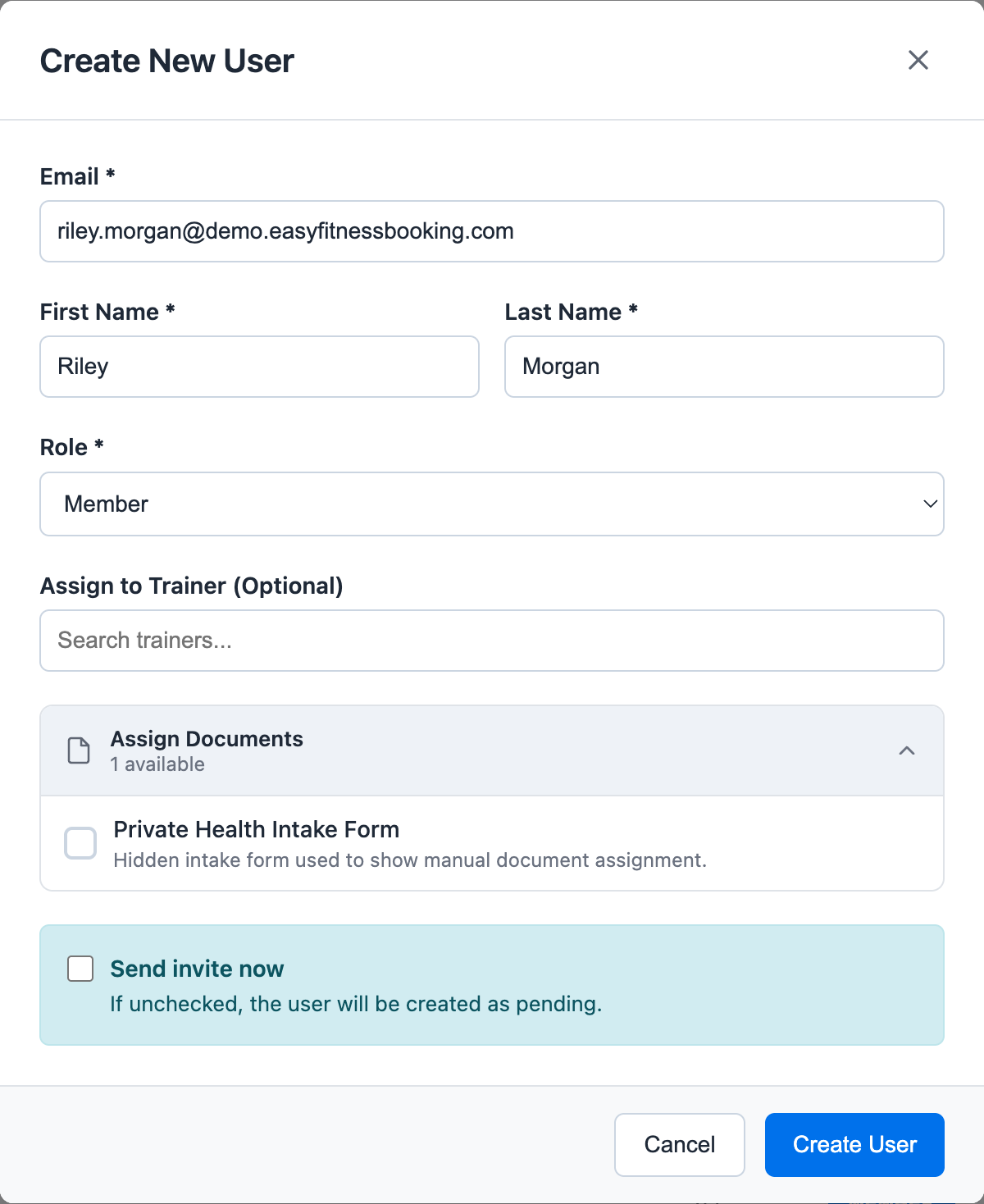
If you send the invite, the user receives an email to complete their account setup. If you leave the user pending, staff can still assign memberships, book sessions, and test the workflow before the member activates their account.
Adding Members to Trainer Client Lists
When creating a member, you can optionally add that member to a trainer's Client List. This helps trainer-specific calendars and searches stay focused.
This is a convenience filter, not a booking block. Owners and admins can still use the All Trainers calendar to search all members and book the right person with the right trainer.
For the detailed workflow, see Assign Members to a Trainer Client List.
You can also send or resend invitations later from the user list or member profile.
Managing Users
User Profiles
Each user profile contains:
- Contact information
- Role assignment
- Membership details (for members)
- Activity history
- Invitation status
Households and Dependents
Staff can link household members from the member admin tab. This is how Easy Fitness Booking supports family memberships, shared parent-child memberships, couples, dependents, and other shared billing relationships. A household can include a billing owner, another household manager, regular dependents, and no-login dependents created by staff.
Households are used for shared booking and billing workflows:
- A parent can manage a dependent.
- A household manager can book for another household member.
- A membership can be owner-only, shared with everyone in the household, or shared with selected household members.
- A card payer must belong to the same household as the membership owner.
For the detailed workflow, see Manage Household Membership Sharing.
For account status, role changes, and other member Admin tab controls, see Manage Member Admin Settings.
For trainer, admin, and class-manager account controls, see Manage Staff Admin Settings.
Searching Users
Find users quickly with:
- Name search
- Email search
- Role filter
- Status filter
Editing Users
To modify a user:
- Find the user in the list
- Click to view profile
- Open the edit user workflow
- Update profile fields or role, when your permissions allow it
- Save
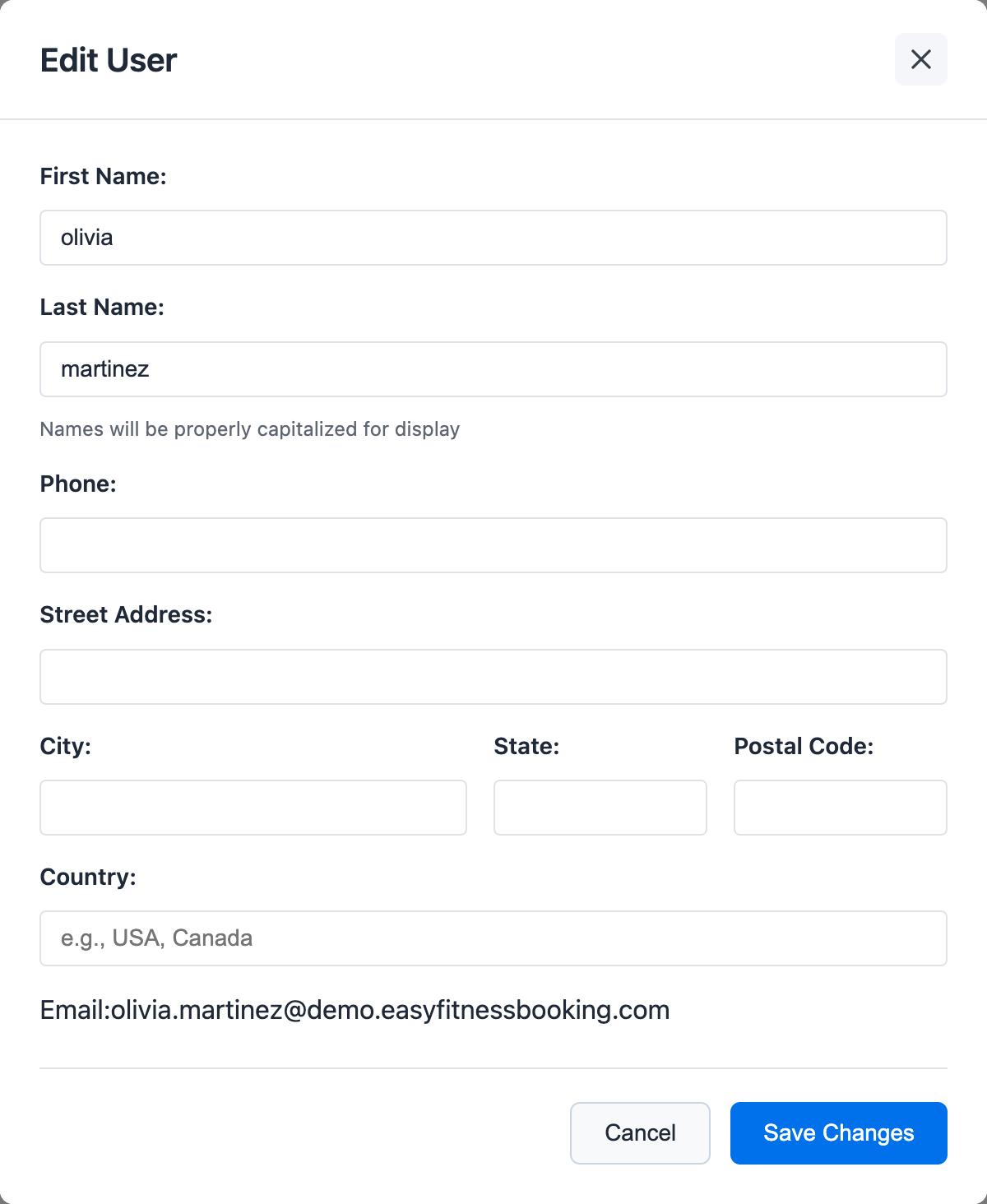
Use role changes carefully. Changing a member to a trainer registers them in staff-facing workflows, while changing someone to admin gives them management access.
First-Time Setup
Configurable Onboarding
Gym owners can configure what new members must complete:
- Profile information fields
- Required documents
- Waiver signatures
- Health questionnaires
Setup Flow
When members first log in:
- Complete required profile fields
- Review and sign documents
- Set up payment method (if required)
- Access the full system
Security
Password Policies
- Secure password requirements
- Password reset via email
- Account lockout protection
Access Control
- Role-based permissions
- Gym-specific isolation
- Audit logging
Best Practices
- Use appropriate roles - Don't give more access than needed
- Keep information current - Regularly verify contact details
- Review inactive accounts - Clean up users who've left
- Document policies - Clear guidelines for staff
Troubleshooting
User can't log in
- Check if account is active
- Verify email address
- Reset password if needed
Missing permissions
- Review role assignment
- Check if role has required access
For assistance, contact support.
Ready to streamline your gym?
Start managing bookings, personal training, and memberships in minutes.
Start Your Free Trial →No credit card required