Use the Trainer Workspace
Use the trainer workspace when trainers need a focused view of their own schedule, clients, documents, and calendar sync without opening the full owner finance and setup tools.
1. Open the Trainer Dashboard
Trainers land on a dashboard that summarizes upcoming activity and links to the two daily tools: My Calendar and Members.
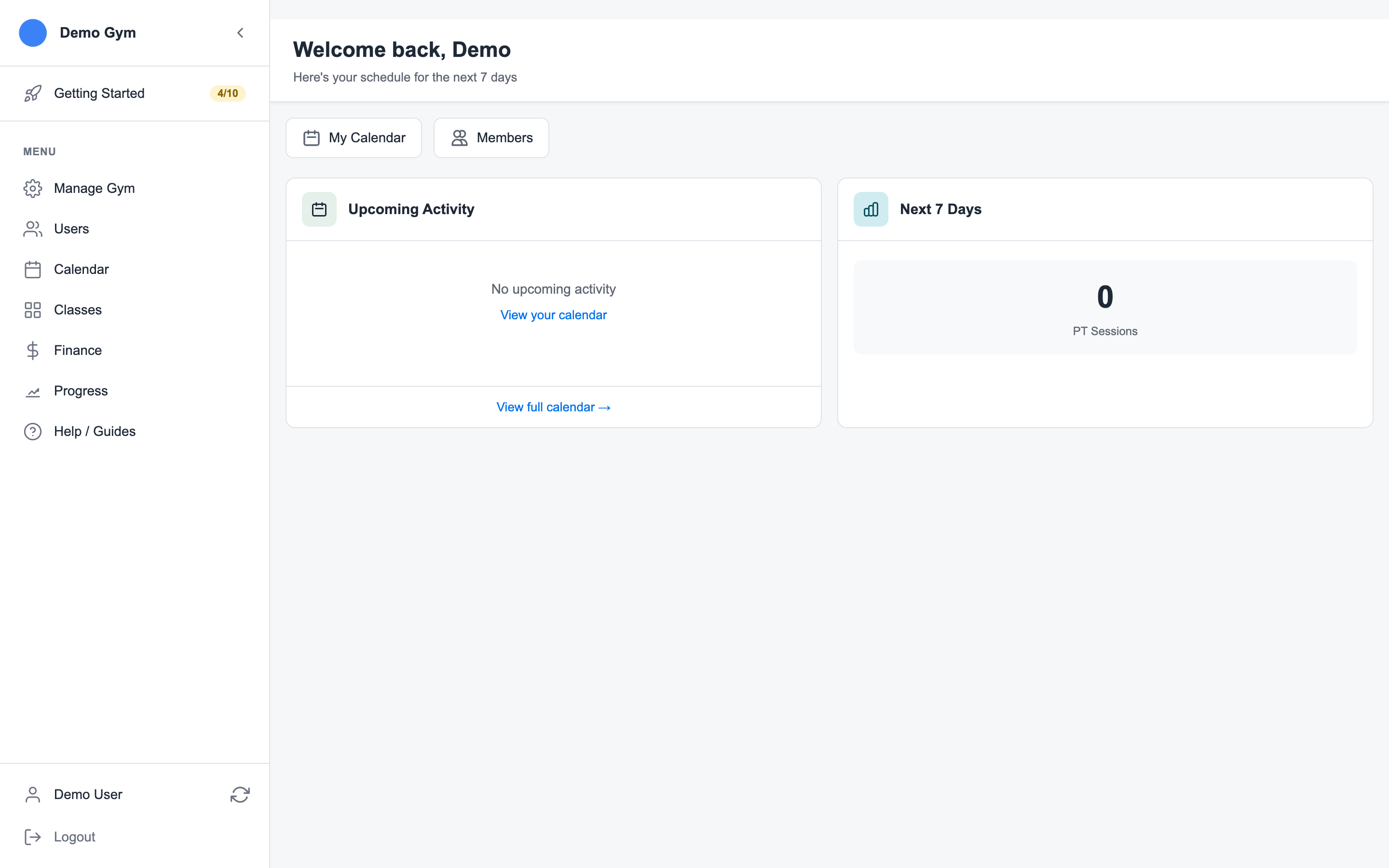
The dashboard answers the basic question: "What is coming up for me next?"
2. Review the Trainer Calendar
Open My Calendar to see booked personal training sessions, class sessions, blocked time, and non-training work.
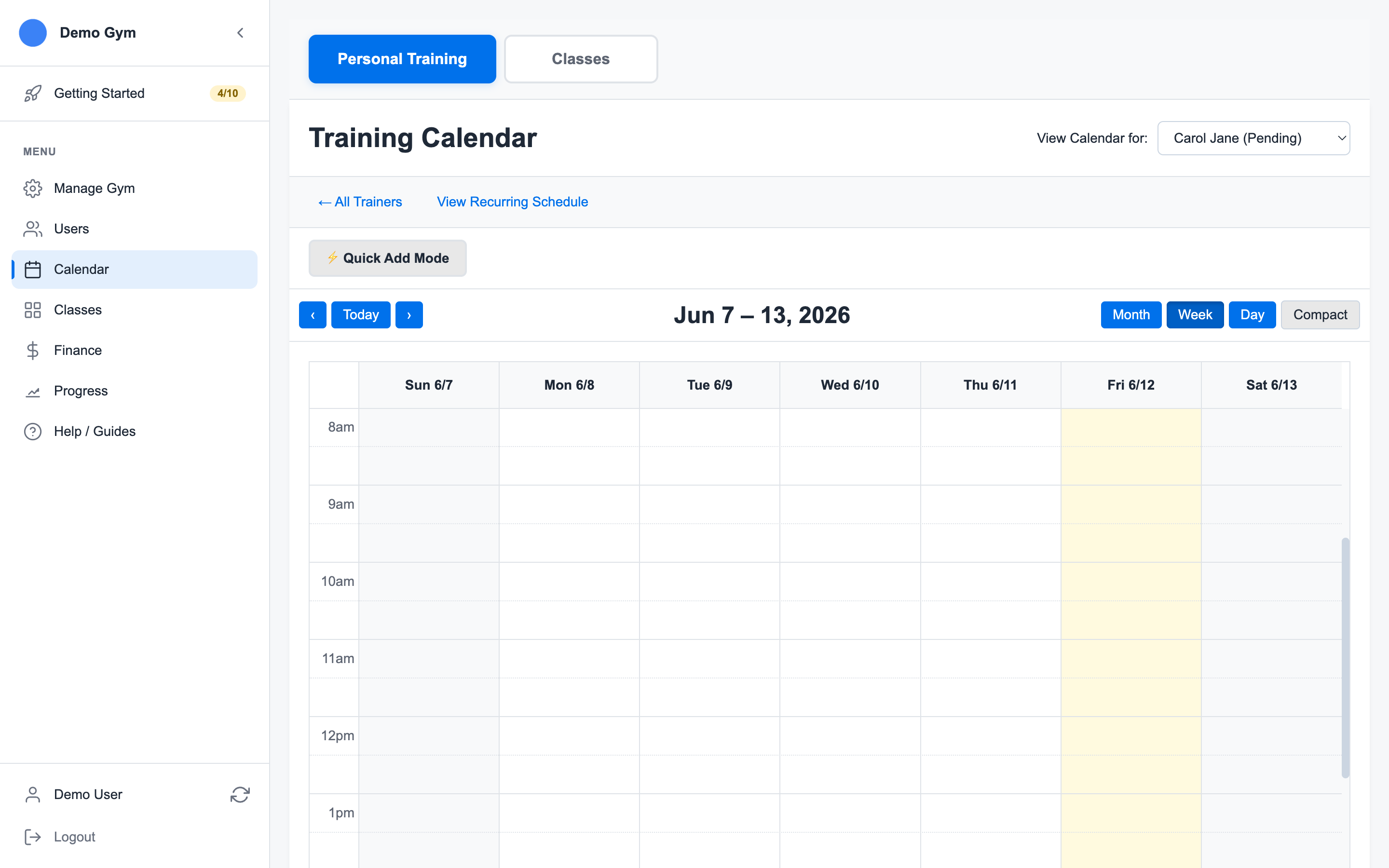
From the calendar, trainers can:
- Review session details
- Book or update sessions when their role allows it
- Add private session notes
- Mark attendance, late cancels, or no-shows
- Email a member from a booked session
Calendar actions still follow the gym's credit, cancellation, and payroll rules. A late cancellation can preserve trainer pay while consuming the member credit, depending on policy.
3. Search the Member List
Open Members to search the gym member list. Trainers can use this when they need contact details, document status, session history, or a fast path to book a session for a specific client.
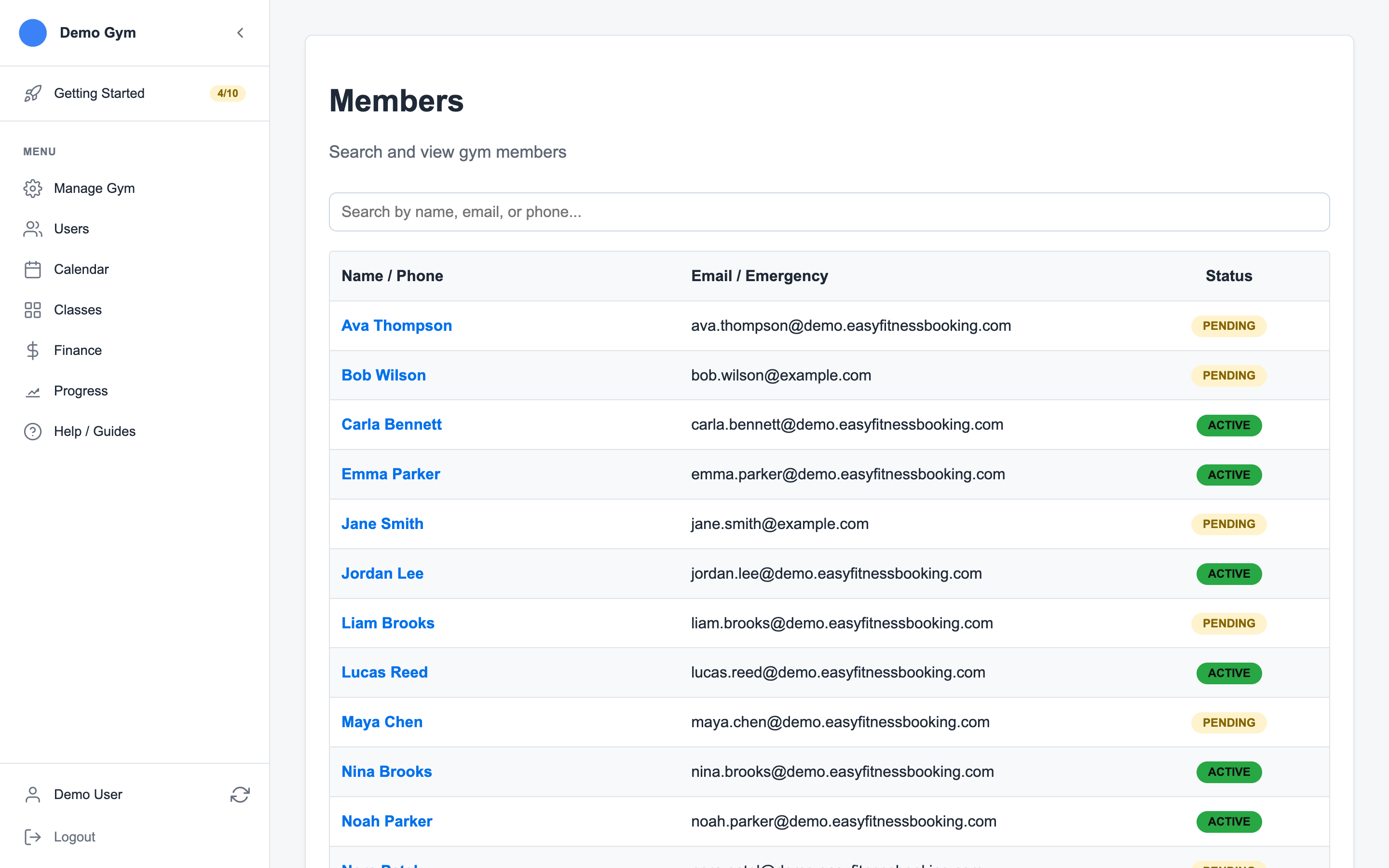
The member list is intentionally narrower than the owner user-management screen. It is built for finding clients, not managing gym staff or billing settings.
For the owner/admin workflow that controls which members appear in a trainer-specific booking search, see Assign Members to a Trainer Client List.
For account status, staff role changes, and trainer Admin tab controls, see Manage Staff Admin Settings.
4. Use Account Documents
Open Account -> Documents when a trainer or instructor needs to review their own assigned documents.
For member document compliance from the staff side, see Manage Member Documents.
5. Connect Google Calendar
Trainers and instructors can connect Google Calendar from Account -> Integrations. Easy Fitness Booking creates a dedicated calendar and syncs booked PT sessions and classes into it.
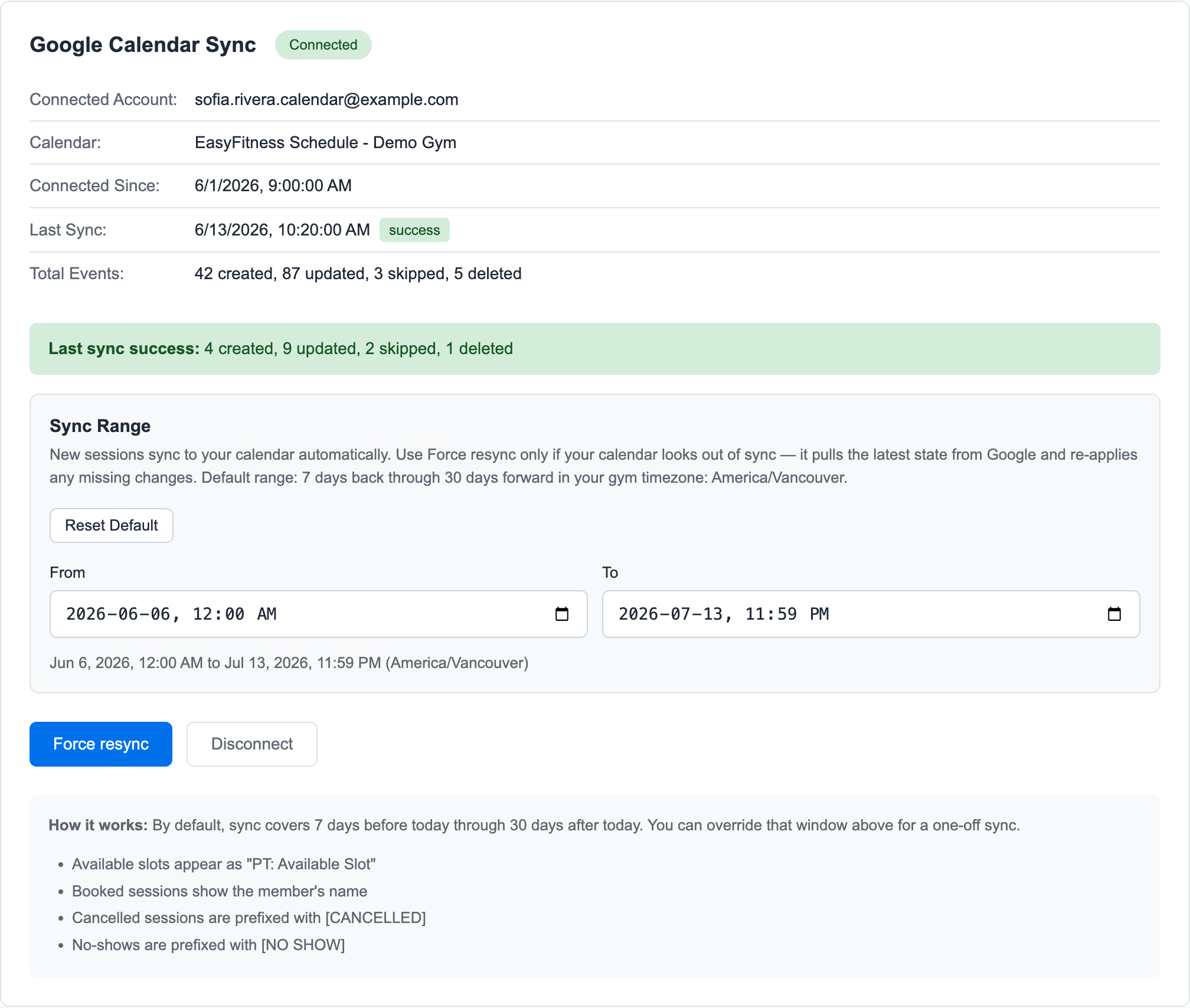
Use Force resync when the external calendar looks out of date.
Related guides:
Ready to streamline your gym?
Start managing bookings, personal training, and memberships in minutes.
Start Your Free Trial →No credit card required