Run Trainer Payroll
Use payroll after trainers have completed PT sessions or instructed classes. The payroll view helps staff review rates, session counts, and pay history before creating payroll records.
1. Open Payroll
Go to Finance -> Payroll.
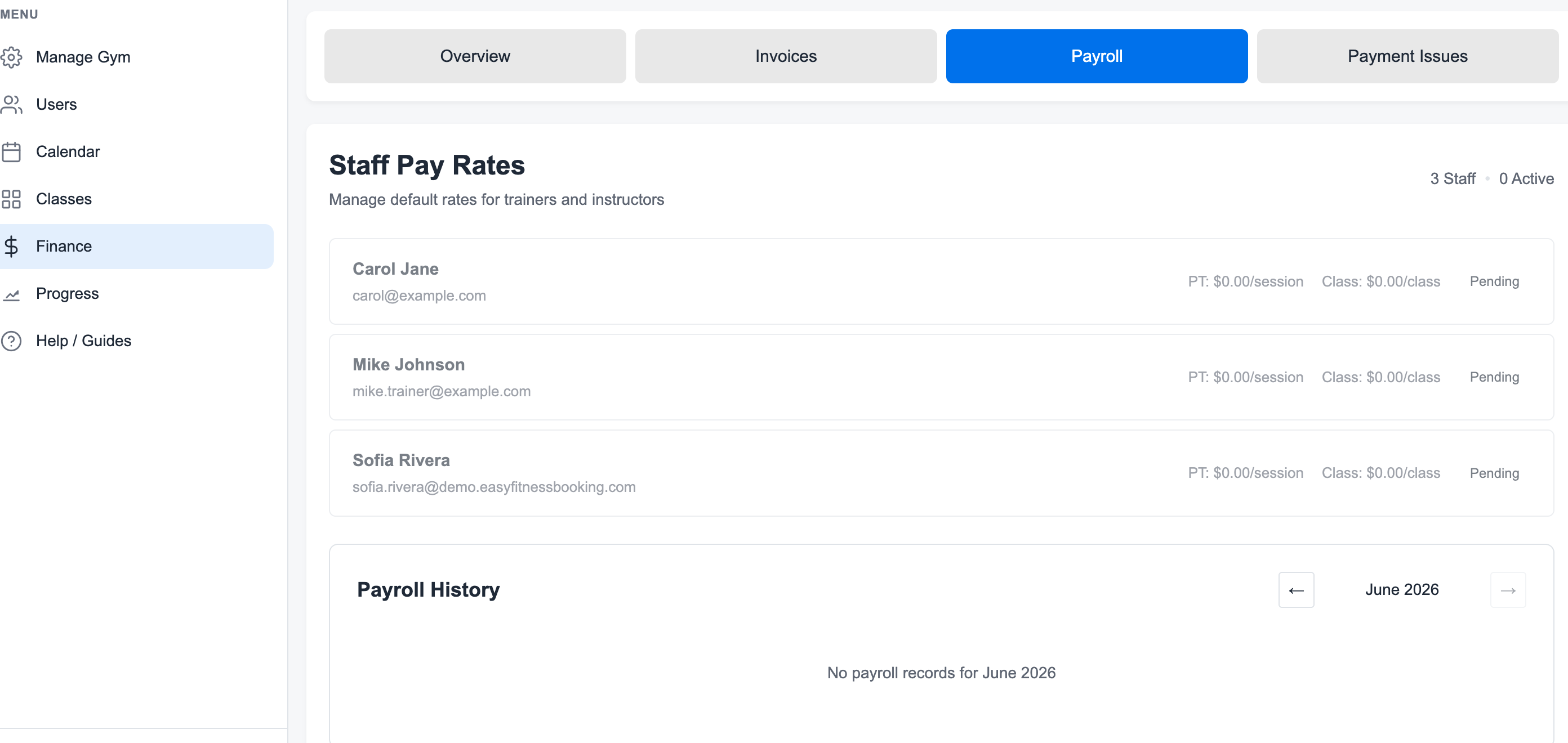
2. Review Staff Pay Rates
Open a trainer and confirm their PT and class rates before generating payroll.

Check:
- PT session rate
- Class session rate
- Trainer status
- Pay period
3. Set or Update Trainer Rates
Click Edit Rates when a trainer's default pay needs to change.
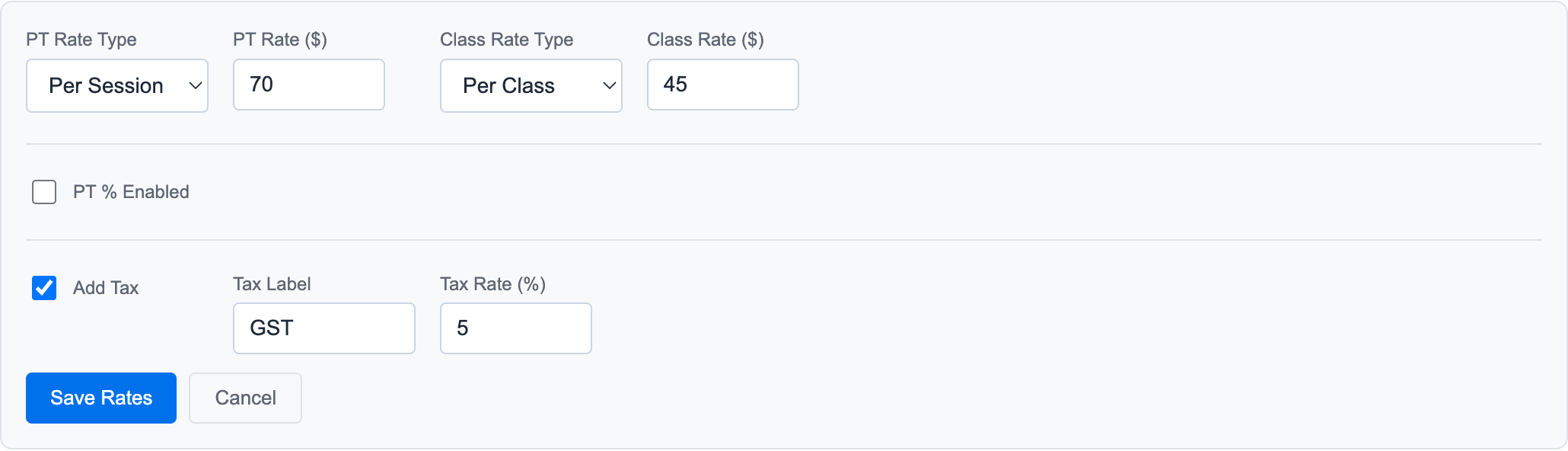
Set the rate type first, then enter the amount. Save the rates before creating payroll so the session review uses the current defaults.
4. Review Completed Sessions
Payroll should be run after the pay period has completed sessions to count.
Late cancellations and no-shows may still count toward payroll depending on your policy. Properly cancelled sessions usually do not.
5. Create the Payroll Record
When the rates and sessions look correct, create the payroll record from the trainer payroll detail page.
6. Add Manual Adjustments When Needed
Use Custom Billing Lines for bonuses, reimbursements, deductions, or one-off pay adjustments that are not tied to a session.
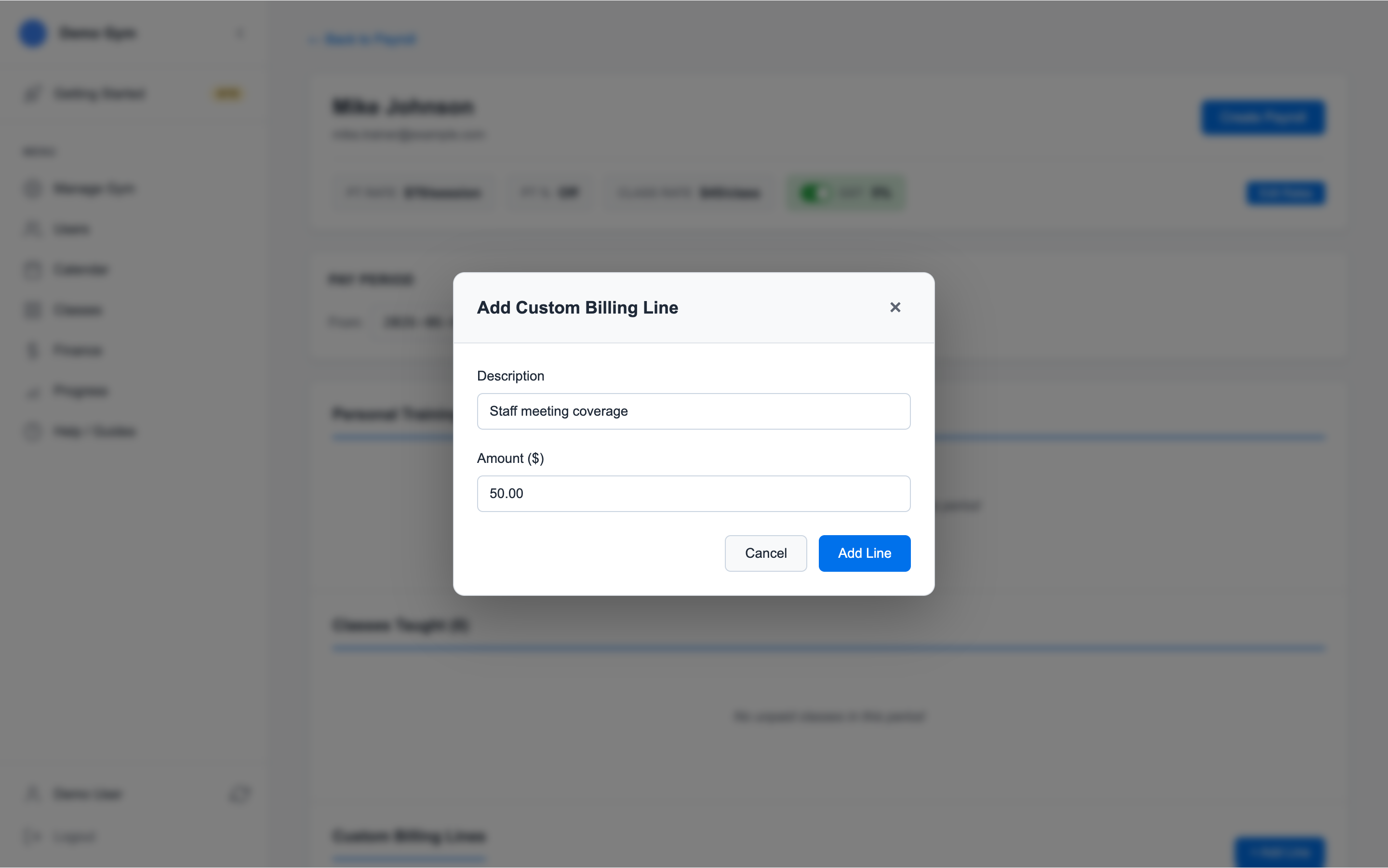
Enter a plain-language description and the amount. The description stays with the payroll record so the adjustment is explainable later.
7. Keep the Payroll History
After payroll is created, use Payroll History to review prior periods.
Related guides:
Ready to streamline your gym?
Start managing bookings, personal training, and memberships in minutes.
Start Your Free Trial →No credit card required