Pause Clients Without Losing Track
"My client needs to pause for a few weeks. What happens to their sessions?"
That question should not require a spreadsheet.
For an independent trainer, pauses usually happen for normal reasons: vacation, injury, work travel, family schedule changes, or a short financial break.
The pause may be reasonable. The tracking still needs to be exact.
The Pause Has To Touch The Whole Account
A pause is not just a note that says "client away."
It affects:
- Unused credits
- Booked sessions
- Billing dates
- Session expiry
- Late-cancel rules
- Resume timing
- The client account history
If those pieces are tracked separately, you will eventually have to rebuild the account from memory.
What The Client Wants
Most clients are not trying to make your admin harder.
They want a simple answer:
"Are my sessions safe, and when do I start again?"
That answer is easier when the system tracks the pause instead of leaving you to explain it from texts and calendar notes.
What The Trainer Needs
You need the pause to be fair.
The client should not lose paid sessions that should be preserved. But a session inside your late-cancel window may still need to follow your policy, especially if you reserved the time and could not sell it to someone else.
Good pause tracking protects both sides:
- Credits are preserved when they should be preserved.
- Late-cancel rules still apply when they should apply.
- The reason and timing are documented.
- Resume is based on the account record.
How Easy Fitness Booking Handles It
Easy Fitness Booking tracks pauses as part of the client account.
When you pause a client, the system can preserve unused credits, handle booked sessions according to policy, stop billing during the pause, and keep a timeline of what changed.
Staff review the membership first, then open the pause workflow from the member account.
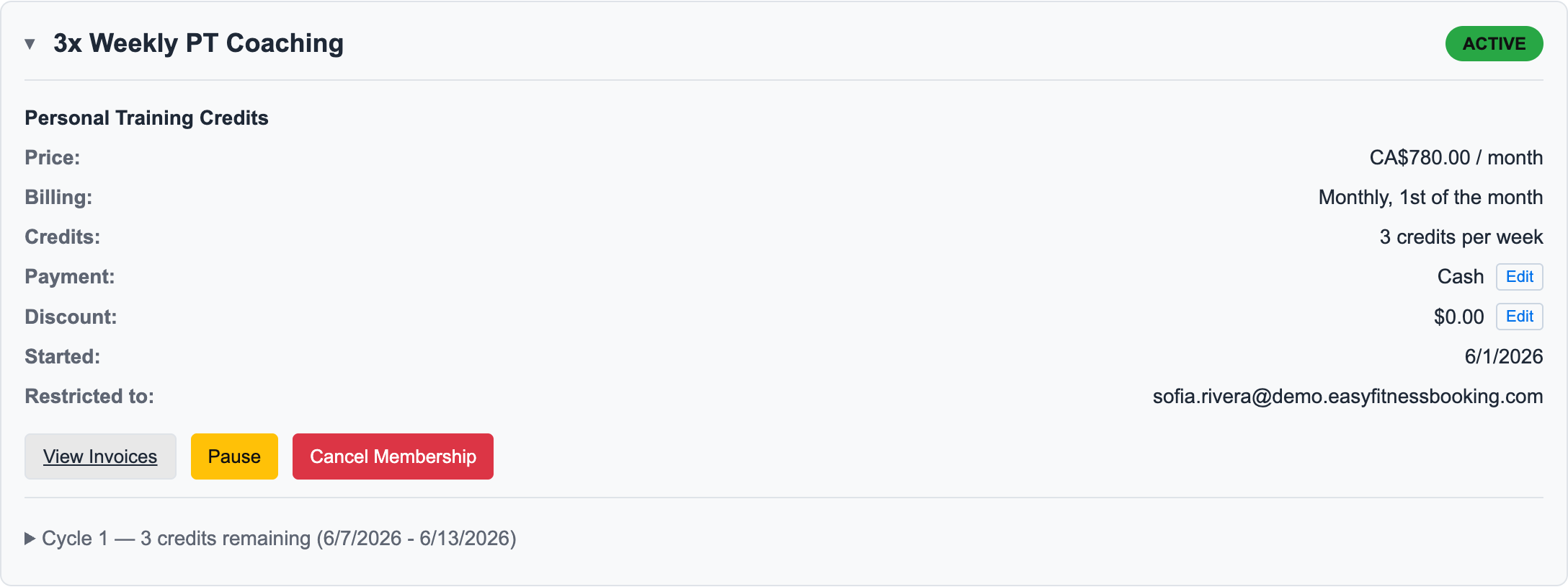
The pause preview shows the affected sessions, returned credits, and billing impact before the trainer confirms anything.
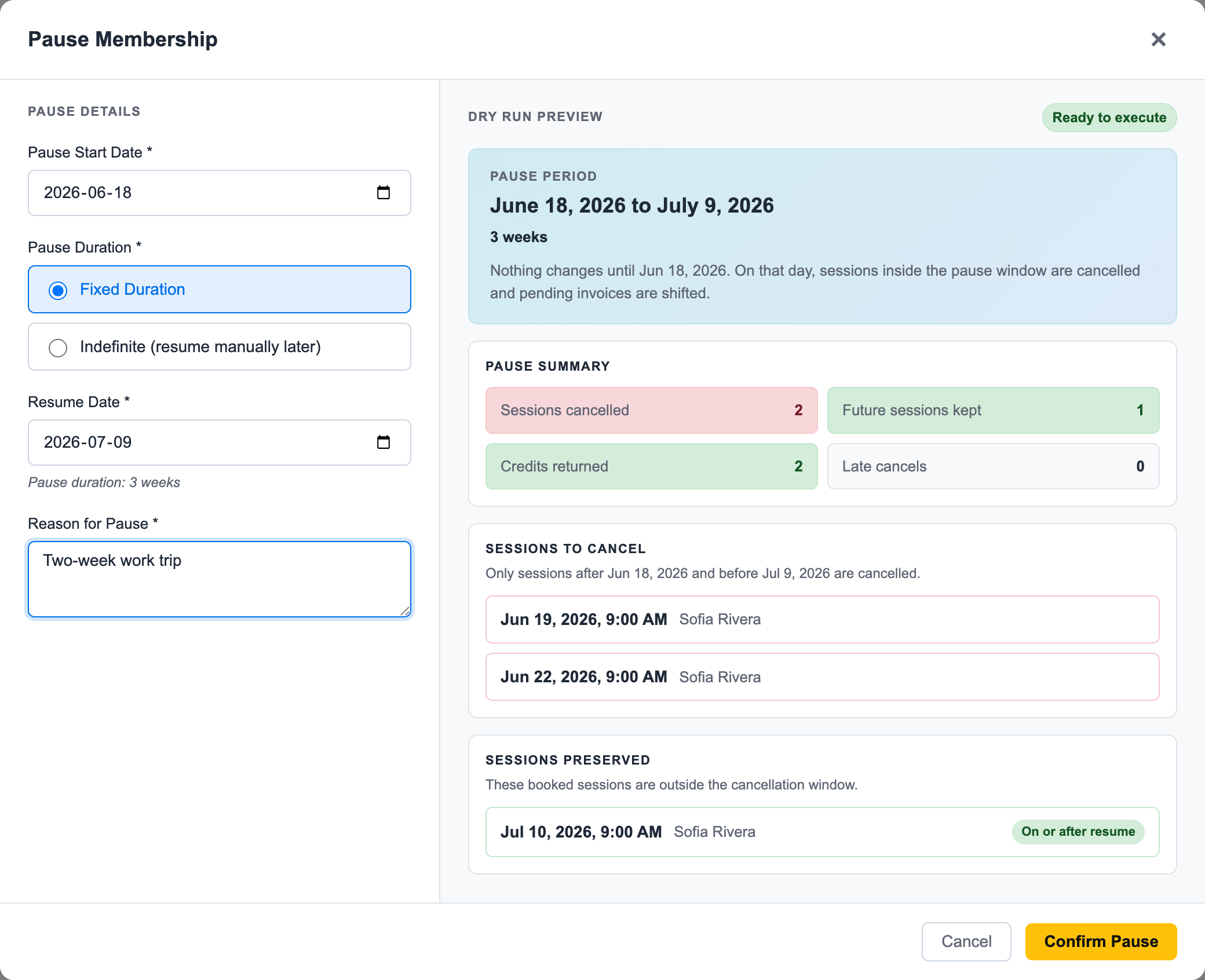
The important detail: the trainer reviews the preview first. Then the final confirmation click does the account work without manually rebuilding credits, sessions, and billing history.
For the full reference workflow, see Pause a Membership and Pausing and Resuming Memberships.
The Simple Rule
A pause should not turn your client account into a guessing game.
If the client paid for sessions, the pause system should preserve the history clearly.
Start with the 25-client offer. Manage 25 clients for $25/month.
Ready to streamline your gym?
Start managing bookings, personal training, and memberships in minutes.
Start Your Free Trial →No credit card required