Getting Started for Trainers
This guide helps trainers and instructors understand what they can do inside Easy Fitness Booking.
Setting Up Your Account
Accepting Your Invitation
When your gym owner adds you as a trainer:
- You'll receive an email invitation
- Click the link to set up your account
- Create a secure password
- Complete your profile
Your Account
Open Account to review your profile, documents, schedule settings, activity, and integrations.
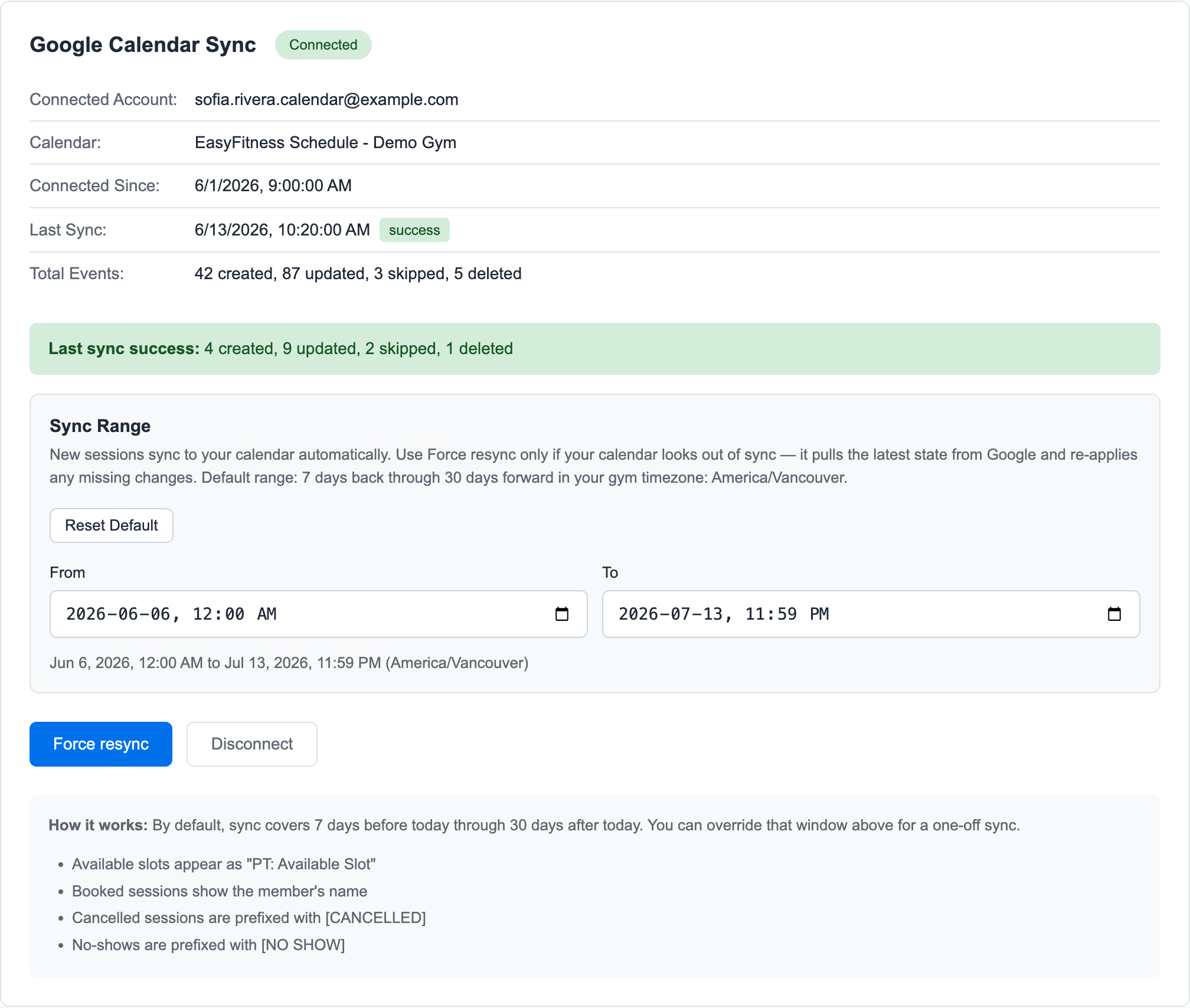
Trainers and instructors can also connect Google Calendar from Account -> Integrations.
Trainer Dashboard
The trainer dashboard gives you a focused starting point for the next seven days.
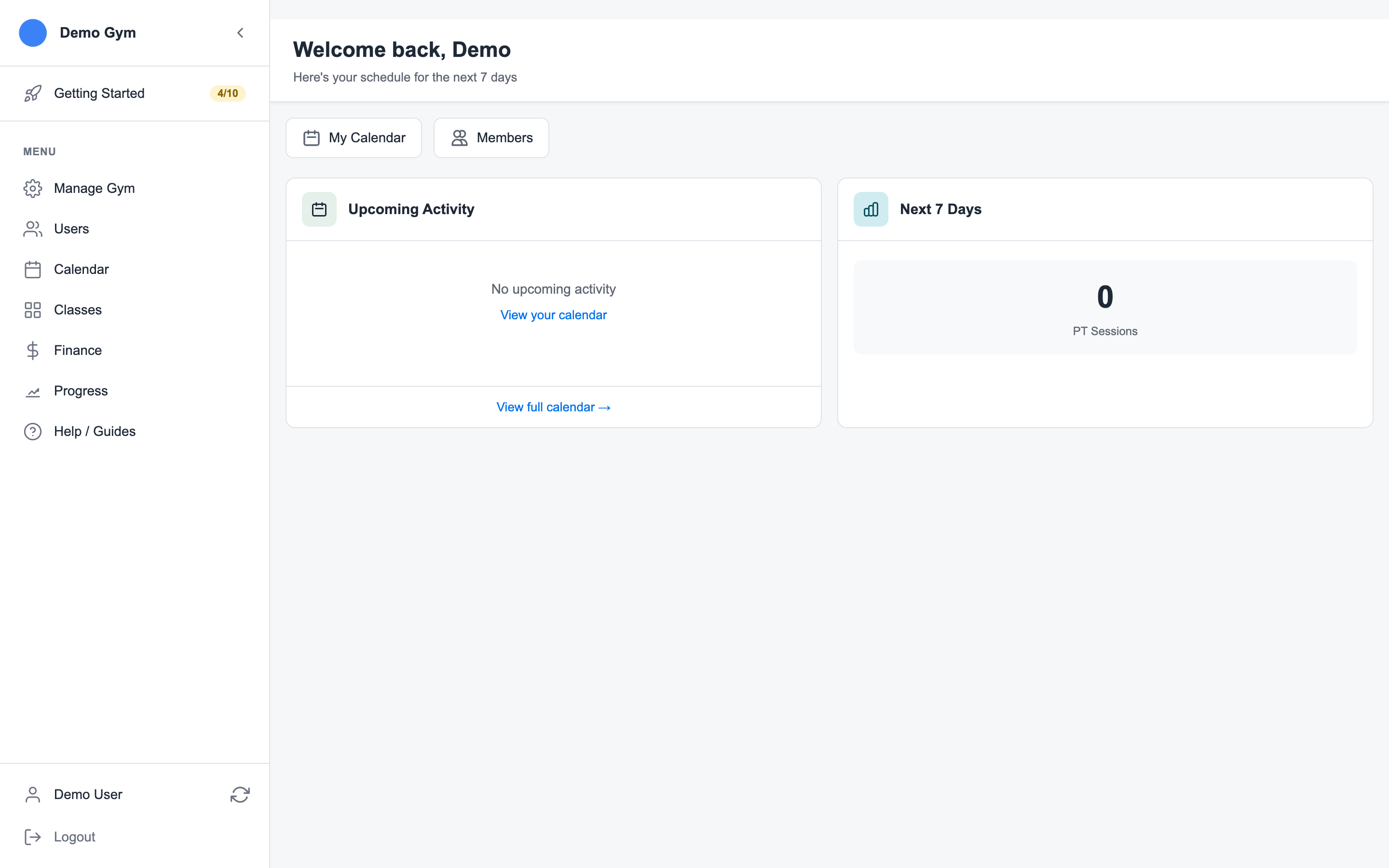
Use it to jump into:
- My Calendar for sessions, classes, blocked time, and non-training work
- Members for client lookup
- Upcoming PT sessions and classes
Managing Your Calendar
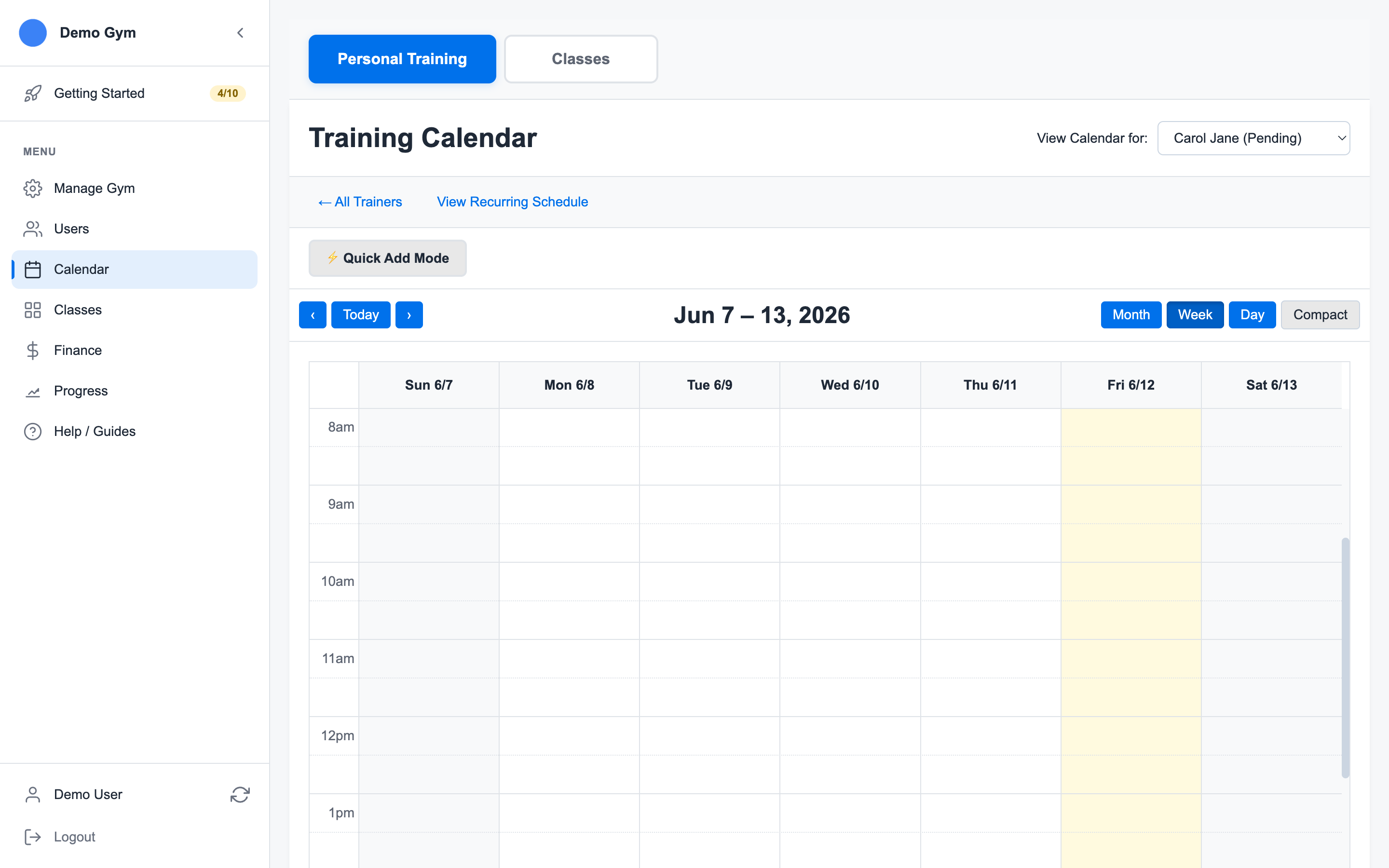
Your calendar shows:
- Confirmed sessions - Upcoming client appointments
- Pending requests - Bookings awaiting confirmation
- Availability - Open slots for new bookings
- Blocked time - Hours that should not be bookable
- Non-training sessions - Admin work, maintenance, education, or rental time tracked by session type
Handling Bookings
Depending on your gym permissions, you may be able to:
- Book a member into an open session
- Update session notes
- Mark attendance
- Mark a late cancel or no-show
- Email a member from a booked session
Working with Clients
Open Members to search and review member accounts.
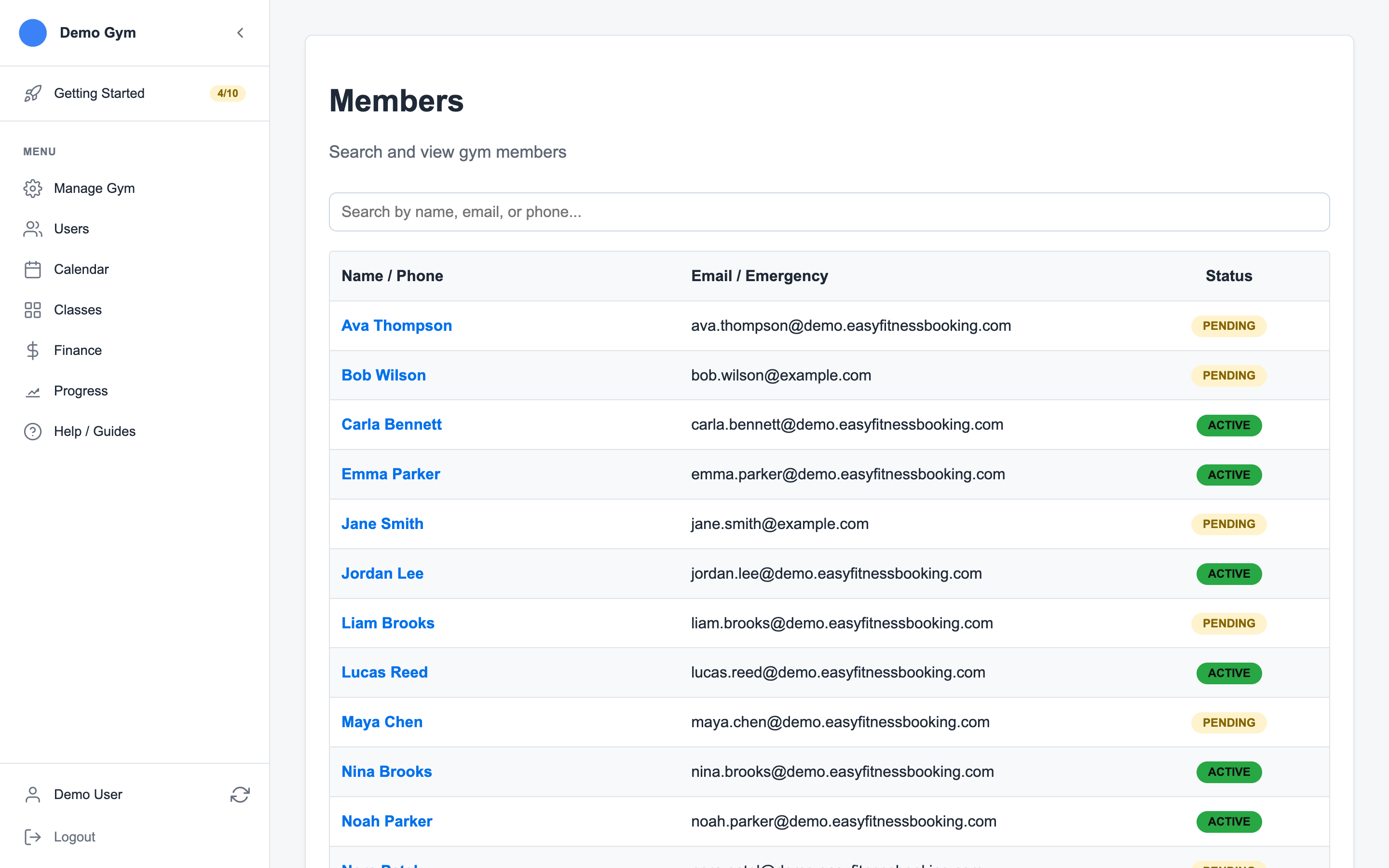
Use the client view to review:
- Contact details
- Document status
- Session history
- Notes and preferences
- A quick path back to the calendar
Calendar Sync
If your gym has Google Calendar sync enabled for staff, connect it from Account -> Integrations. Easy Fitness Booking creates a dedicated Google Calendar for your PT sessions and classes, then keeps those events updated as bookings change.
Best Practices
- Keep your calendar updated - Accurate availability reduces scheduling conflicts
- Confirm bookings promptly - Members appreciate quick responses
- Document sessions - Notes help track client progress
- Communicate cancellation policies - Set clear expectations with clients
Common Tasks
| Task | How To |
|---|---|
| Block time off | Calendar → Add slot → Select Blocked |
| Add non-training work | Calendar → Add slot → Select Non-Training Session |
| View client history | Members → Select client |
| Cancel a session | Calendar → Click session → Cancel |
| Connect Google Calendar | Account → Integrations |
For the screenshot-based walkthrough, see Use the Trainer Workspace.
Need Help?
Questions about managing your schedule? Contact support or speak with your gym owner.
Ready to streamline your gym?
Start managing bookings, personal training, and memberships in minutes.
Start Your Free Trial →No credit card required